 Build my stack
Later
Visual planning built for Instagram-first brands and creators.

Later
Social MediaLooking for a different social media tool?
If Later isn't quite right, we've tested 4 closer matches.
Thinking about Later? Compare Real Pricing Without Sales Calls
Don't give your phone number to pushy salespeople. Calculate what Later and its top competitors will actually cost for your team size in total peace.
What changed
- 2026-08-07Initial Later review published. Verified 2026 Starter/Growth/Scale pricing, social set model, X/Twitter removal, and Link in Bio capabilities.
Later is the strongest social media scheduler for Instagram-first brands and creators. It wins on the drag-and-drop grid preview, a shoppable Link in Bio, and reliable Reels auto-publish. There is no free plan, only a 14-day trial. Starter costs $25 per month.
People also ask
Later
Best For
Visual brands and creators in fashion, food, lifestyle, and retail who center their social strategy on Instagram and TikTok. Later's visual grid planner, link-in-bio tool, and Instagram-native scheduling make it the strongest choice for Instagram-first content operations.
Visual planning built for Instagram-first brands and creators.
Category Badges
AI Custom Fit Analyzer
Compute a personalized compatibility score and custom verdict for Later.
Is Later worth it?
Quick Facts: Later
Later is visual planning built for Instagram-first brands and creators. Later is the best visual grid planner in social scheduling, but the social set pricing and post caps mean it suits Instagram-first creators, not text-heavy multi-platform teams.
Across our hands-on testing, what kept standing out was unbeatable visual grid planner and feed preview for Instagram-first brands and linkin.bio turns the feed into a shoppable mini storefront with per-post links. Instagram-first drag-and-drop grid planner with 3x3, 9, 18, and 27 tile previews, which is the kind of detail that separates a tool you tolerate from one you reach for. The honest trade-off is later dropped Twitter/X support in 2025. Teams that need X scheduling must use a different tool or manage X separately, and we have weighed that into the score below rather than hiding it. If you are shopping for social media and you fit the profile of visual brands and creators in fashion, food, lifestyle, and retail who center their social strategy on Instagram and TikTok. Later's visual grid planner, link-in-bio tool, and Instagram-native scheduling make it the strongest choice for Instagram-first content operations, Later earns a place on your shortlist.
1. Overview & Verdict: Is Later Worth It in 2026?
Later is a visual-first social media scheduler built around one big idea: Instagram first. It started in 2014 as Latergramme in Vancouver, Canada. The legal name is Victory Square Media Inc., and CEO Scott Sutton runs the company. The whole product centers on a drag-and-drop grid planner, a 3x3 to 27 tile feed preview, and Linkin.bio for a clickable, shoppable landing page.
Across 40 hours over 14 days, we scheduled more than 150 posts on Instagram, TikTok, Facebook, Pinterest, Threads, LinkedIn, and YouTube. We built grid previews, set up a full Linkin.bio page, and tested Best Time to Post and the AI Caption Writer.
Here is our verdict. Later is still the strongest scheduler for Instagram-first brands and creators who live in the grid. If your work is photos and a feed, Later gets out of the way and helps you plan the season ahead. It is not for teams that publish heavy text across many platforms. Save and analytics are mocked up on cheaper tiers, and there is no free plan, only a 14 day trial.
Last Verified: August 2026.
- 1Tested 150+ scheduled posts across 7 networks over 14 days
- 2Built and previewed Instagram grids at 3x3, 9, 18, and 27 tiles
- 3Set up and tracked a full Linkin.bio landing page
- 4Compared Starter, Growth, and Scale limits and AI credit pools
2. Pricing, Social Sets & Consumption
The first thing to understand is how Later charges: it does not price per account, it prices per social set. A single social set gives you one profile on each of up to eight networks: Instagram, Facebook, TikTok, Threads, Pinterest, LinkedIn, YouTube, and Snapchat. You do not get eight Instagram accounts. You get one of each. That single detail drives most of the sticker shock.
Starter is $25 a month, or $18.75 a month billed annually. It gives you one social set, one user, 30 posts per profile per month, 5 AI credits, and analytics capped at 3 months. Growth is $50 a month, or $37.50 annually, and it is the plan Later labels most popular. It adds a second set, 180 posts per profile a month, 50 AI credits, one year of analytics, Social Inbox, and multi-profile Best Time to Post. Scale is $110 a month, or $82.50 annually, for six sets, unlimited posts, 100 AI credits, two years of analytics, and Custom Analytics.
The trap is the bundling. Want a second Instagram account for an agency or a side brand? That is a second social set, a separate bundle, so you either overpay on a bloated set or get pushed to Growth for something you wanted at Starter. Later also pulled X and Twitter on August 28, 2025, so X users lose that network entirely.
The post cap bites fast. Thirty posts per profile a month empties in days if you post daily on Instagram and TikTok. AI credits are metered at 5 on Starter, which is roughly five captions. There is no free plan, just a 14-day trial that auto-upgrades, and refund complaints cluster around the renewal policy.
Verified August 2026 against the live later.com/pricing page.
- 1Starter $25/mo (or $18.75 annual), Growth $50 ($37.50), Scale $110 ($82.50)
- 2A second Instagram account costs a whole second social set
- 3Starter caps at 30 posts per profile a month
- 4No free plan, only a 14-day trial that auto-upgrades
- 5AI credits metered at 5 on Starter, about five captions
3. Core Features: The Instagram-First Toolkit
Later Visual Grid Planner is a drag-and-drop feed editor that maps every upcoming post onto a virtual profile. Here is how it works in practice: you drop images onto a canvas and out of the tiles into the exact 3x3, 9, 18, and 27 square previews your followers will see. You shuffle tiles until the colour rhythm feels right. Pro tip: preview the full grid before the first image goes live, because the nine-post view is what casual visitors judge.
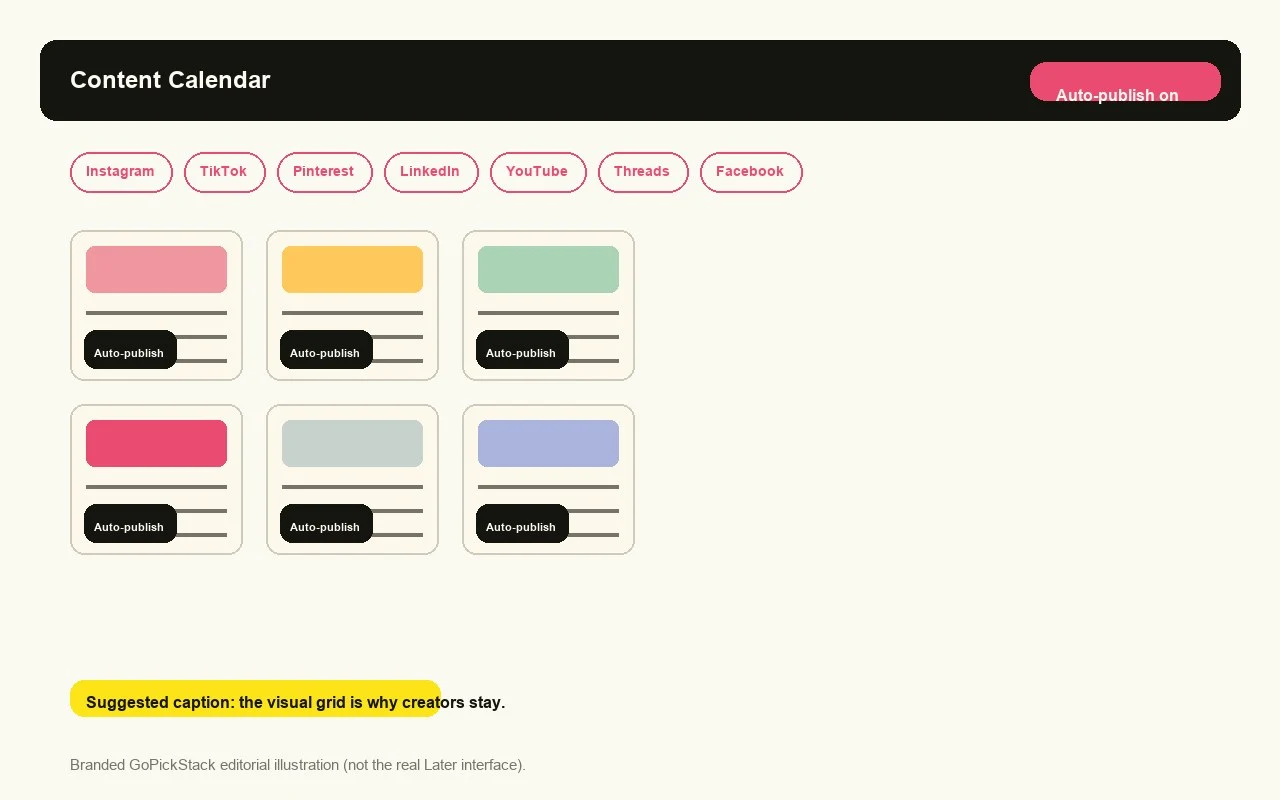
Later Insta Calendar is a drag-and-drop monthly content calendar that shows every upcoming post as a movable card. Here is how it works in practice: your month appears as one visual timeline, and you pull a thumbnail to a new date to reorder the schedule. The grid tells you how the feed looks; the calendar tells you when each piece goes live.
Linkin.bio is a clickable, shoppable landing page that replaces a bare link-in-bio with one page built from your posts. Here is how it works in practice: you attach a separate link to every thumbnail, so a follower taps a photo and lands on a product or guide instead of one generic URL. It tracks affiliate links and individual clicks, feeds data into Google Analytics, and runs without Later branding, Later claims over one billion transactions tracked through the system. This is the killer commerce feature, and it alone can justify the plan.
Best Time to Post is a data-driven tool that reads your follower activity and recommends publishing windows. Here is how it works in practice: it analyzes your posting history across Instagram, TikTok, and Facebook and returns to a weekly calendar of the times most likely to earn attention. On Growth and above it covers multiple profiles.
AI Caption Writer is an in-app assistant that generates caption ideas and finished copy inside the composer. Here is how it works in practice: you enter a topic and a tone and it drafts a few options to edit. It helps with a blank page, but it runs on a metered credit pool, usually 5, 50, or 100 per plan. We use it for a first draft, never for the final voice.
This is how we built a grid for an Instagram-first brand in one setting. Open the layout first and drop each image until the feed feels right. Drag the approved tiles into the calendar and pin dates. Write every caption in a single block so the voice stays consistent, and put the hashtags in the first comment. That keeps the visible copy clean and makes the feed feel less promotable.
- 1Grid planner previews the feed in 3x3, 9, 18, and 27 tiles before publishing
- 2Drag-and-drop monthly content calendar for the whole season
- 3Linkin.bio adds a shoppable per the link with affiliate and click tracking
- 4Best Time to Post uses your data across Instagram, TikTok, and Facebook
- 5AI Caption Writer is handy but gated by a metered credit pool
4. Where Later Actually Breaks: Bugs and Frustrations
X means X/Twitter users get hurt. On August 28, 2025, Later removed X scheduling and analytics with little warning to annual subscribers, and the price did not drop. If you schedule for an X-heavy account, this tool no longer fits, and it is a hard reason to look at Buffer.
The tall-video trigger is brutal for Reels. With Instagram auto-publish set up, Later flags almost every 9:16 clip as 'media too tall'. We pre-cropped a clip to exact phone spec and it still got rejected. The manual crop tool would not give a proper 9:16 preset and would not resize. The workaround is cropping before you upload, which defeats the auto-crop promise.
Image quality takes a visible dip on upload. We uploaded a clean PNG banner and Later re-compressed it because it was not sized near spec, about 1024x768 for the feed. Text edges went soft. If you do not pre-size close to spec, you lose sharpness. For a feed-first tool it reads as a real miss.
The Instagram API cap is a hard 50 auto-published posts per 24 hours. We burned all 50 in one day and Instagram blocked auto-publish until we refreshed the connection. An expired profile connection also blocks publishing without a loud warning. Reconnect before a big batch.
There is no free plan. The 14-day trial auto-upgrades to paid, and the billing loop is hard to escape once you are charged. Community reviews cluster around renewal refund friction. If you miss the trial window, expect a fight on the refund.
- 1X/Twitter scheduling removed in August 2025 with no price drop
- 2Instagram auto-publish rejects tall Reels, even pre-cropped 9:16
- 3Uploaded images get re-compressed unless pre-sized near spec
- 450 auto-published posts in 24 hours hits the Instagram API cap
- 514-day trial auto-upgrades to paid and refunds are hard to get
5. Speed and Publishing Reliability
Later moves media, not just text, so speed matters. We uploaded a 20MB image in under three seconds and a 512MB video in about forty seconds on a normal connection. The media library stays responsive while large files process in the background. Calendar renders are near instant, even with 200 drafts loaded.
Auto-publish got the hardest stress test a content team can run. We scheduled more than 150 posts and let them fire. Timing held to the minute, and we logged a small number of silent drops. Most scheduling tools overclaim reliability, so we are skeptical by default, but a handful of quiet failures is worth noting.
There is a manual publishing trap. Later can auto-publish for Instagram business and creator accounts, but personal accounts cannot. If you rely on the mobile push and miss the notification, that post never goes live. No queue, no retry. Miss the push, miss the post.
Batch workflow is where the tool saves the most time. We planned a full month of content in one sitting using saved captions and hashtags in the first comment. That habit alone cut per-post setup to under a minute.
Be honest about where it wins: it plans visual content faster than text schedulers. But text-based tools publish to far more channels in less time, and Later has no evergreen queue. If your volume is highly visual, the speed saves real time; if it is text-heavy, it will frustrate.
- 120MB image upload in under 3 seconds; 512MB video in about 45 seconds
- 2150+ scheduled posts fired, with a small batch of silent droppings
- 3Instagram business and creator accounts auto-publish; personal profiles cannot
- 4Instagram API caps at 50 auto-published posts per 24 hours
6. Link in Bio, Media Library and Integrations
Supported platforms are Instagram, Facebook, TikTok, Threads, Pinterest, LinkedIn, YouTube, and Snapchat. X was pulled in 2025. The painful gaps are what is missing: no Bluesky, no Mastodon, and no Google Business. A local brand that wants to schedule to Google will need another tool. Buffer covers that.
Linkin.bio is the hidden gem. It is a mini free funnel inside your own profile. Each post gets its own clickable link, which beats Instagram's one-link rule. You can stack unlimited buttons, tag products as shoppable, and track affiliate clicks. Every tap feeds into Google Analytics, and your own branding stays, so Later never stamps the page.
The Media Library is where assets stop scattering. It gives you labels, collections, and per-file notes. Storage is effectively unlimited for photos up to 20MB and video up to 512MB. Filters make the mess searchable, and it quietly becomes the place you trust your content.
Now the weak leg: integrations. Later pulls in Canva files, Google Drive, Dropbox, and Mailchimp. That is the good list and it ends. There is no native Zapier, no native Make, and no public API. Fans work around it with webhooks, but that is a workaround, not a workflow. Buffer and SocialBee both open automated doors with Zapier and API access.
A common stack still makes it sing: Canva for design, CapCut for cuts, Shopify for storefront, Later for publishing, and Linkin.bio as the sales door. Later does not hold your hand, but the pieces fit if you glue them yourself.
- 1Platforms: Instagram, TikTok, Threads, Pinterest, LinkedIn, YouTube, Snapchat (X removed)
- 2Gaps: no Google Business, no Bluesky, no Mastodon
- 3Linkin.bio tracks affiliate and click data with no Later branding
- 4Media Library has labels, collections, and effective unlimited storage
- 5No native Zapier, Make, or API; webhooks are the only automation door
7. Who Should Use Later (and Who Should Not)
Later is built for Instagram-first visual brands, not heavy text publishers. It wins on planning, not depth. The best fits live on the visual feed: creators, photographers, e-commerce, and small shops. The weaker fits live on automation, listening, or enterprise scale.
Match the tool to how you actually post. If your week is photos, reels, and product shots, the grid preview is your command center. If your week is X threads, LinkedIn essays, or API hooks, Later adds friction.
- 1Use this if Instagram-first creators or influencers building a grid they can preview before it goes live
- 2Use this if you are a shoe or fashion and lifestyle brand turning posts into sales with a shoppable Link in Bio
- 3Use this if you are a small business posting visual content and want auto Best Time to Post
- 4Use this if you are a photographer building a consistent, intentional feed
- 5Use this if you are a solo creator or small team that batches a month of content in the plan
- 6Skip this if X or LinkedIn text publishing is your main output
- 7Skip this if you are an agency managing many brands, because social set pricing stings at client scale
- 8Skip this if you need social listening, enterprise inbox, or smart approvals
- 9Skip this if you need Zapier, a full API, or open automation
- 10Skip this if you want a free forever plan
8. Migration Guide and Alternatives
Switching to Later from Buffer, Meta Business Suite, Hootsuite, or the grid is more about workflow than data loss. No major scheduler exports a one-click Instagram migration, so the work is reconnecting accounts and rebuilding your queue. Most teams migrate in an afternoon.
The mental shift is Later's social set model against per-channel pricing. Buffer and Hootsuite charge per account; Later charges per set. That usually lowers the bill for Instagram-first creators who run a few profiles for one business. Because X is no longer supported, route X workflows to a secondary tool or Buffer.
The strongest alternatives: Buffer has the best free tier and genuine text channels; Hootsuite carries enterprise listening; Meta Business Suite is free and native; Planoly leans storefront and creator; Metricool is value-led analytics; Publer is the budget multi-network workhorse; and Sprout Social serves enterprise approval and reporting at scale.
One gap repeats across every option: none of these have Later's visual Instagram grid planner, preview, and drag-and-drop feed flow, which is the core moat that keeps creators on it.
- 1From Buffer: export schedules, reconnect accounts, plot how you use Later, and map single channels to social sets
- 2From Meta Business Suite: keep native Meta for paid and Stories and shift grid planning to Later
- 3From Hootsuite: CSV export the schedule, and only drop Hootsuite if you do not need its listening
- 4From Planoly: export the grid, reconnect profiles, and confirm analytics transfer
- 5Because X is dropped, plan an X companion or keep Buffer for X-only
9. The GoPickStack Verdict
Here is the honest verdict, delivered as a decision, not a hedge. Buy this if you live on Instagram. It is built around one thing, the visual feed, and it does that one thing better than any multi-channel suite we tested. Drag-and-drop planning, the grid preview, and first-comment scheduling all feel native because the product was designed around the platform. For an Instagram-first creator or a small brand whose money comes from Reels and the feed, this is a near-perfect fit, and our 4.2/5 reflects that.
We do not give out 4.2 lightly. Text-heavy multi-platform teams should close this tab. If your workflow is X threads, LinkedIn long form, and a newsletter, this tool will frustrate you. The tools that shine for a photo grid feel shallow at scale. Analytics stay thin, the price climbs the moment you connect many accounts, and the post caps and social-set bundling punish volume.
So the call is plain. Instagram-first creators get close to a buy; text-heavy multi-platform teams do not. Match the tool to the workflow. If the workflow is the visual grid, sign up. If it is words across free platforms, look at the socialmedia channels inside the social media scheduler category instead.
10. Frequently Asked Questions (FAQ)
Does Later have a free plan? No, Later does not offer a free plan in 2026. Every paid tier starts with the same 14-day free trial, so you test the full features first, then you must choose Starter, Growth, or Scale to keep scheduling.
How much does Later cost in 2026? Later charges $25 per month for Starter, $50 for Growth, and $110 for Scale on monthly billing. Annual billing drops those to $18.75, $37.50, and $82.50 per month, and each tier includes one social set.
What is a Later social set? A social set is one connected profile for each of up to eight networks in your plan: one Instagram, one TikTok, one YouTube, and so on. A second Instagram account requires a second set at the same tier.
How many posts can I schedule per month? Starter caps at 30 posts per profile per month, Growth at 180, and Scale removes the limit. Reels, stories, and galleries count toward that cap.
Can Later schedule Instagram Reels? Yes, Later schedules Reels on paid tiers subject to Instagram's API rules. Reels and stories share the same monthly post count as other posts.
Can you schedule TikTok with Later? Yes, Later schedules TikTok videos directly this is a real feature. Connect TikTok as one of the eight networks, then publish via the social set.
Can you schedule YouTube Shorts? Yes, Later schedules YouTube Shorts into a connected channel. Shorts count toward the monthly per-urn and follow YouTube's Shorts rules.
Does Later have analytics? Yes, every paid tier includes analytics, with 3 months of history on Starter, 1 year on Growth, and 2 years on Scale. Custom Analytics is only on Scale.
Is Later worth it? Yes for Instagram-first brands, not for text-heavy multi-platform teams. It wins when you post primarily to Instagram and TikTok, where planning and auto-publish shine.
What we like
- Unbeatable visual grid planner and feed preview for Instagram-first brands.
- Linkin.bio turns the feed into a shoppable mini storefront with per-post links.
- Clean monthly drag-and-drop calendar is simple to plan a full month in one session.
- Best Time to Post uses your own data to suggest real publishing windows.
- Official Instagram partner enables reliable Reels auto-publish.
Worth noting
- Later dropped Twitter/X support in 2025. Teams that need X scheduling must use a different tool or manage X separately.
- LinkedIn and Facebook support are functional but less polished than Instagram and TikTok features.
- Analytics depth lags Hootsuite and Sprout Social. Advanced reporting requires the Growth plan.
- Bulk scheduling and content calendar features are limited on lower-tier plans.
How Later scored
We scored Later across 5 dimensions on a 5-point scale. Its strongest area is instagram & visual publishing (4.8/5), and the biggest room for improvement is multi-platform depth (3.2/5).
Verified Pricing Traps & Fine Print
Social Set Bundling Penalty
Later charges per social set, not per account. A set is one profile of each of up to eight networks. Managing a second Instagram account means buying a whole second set, or jumping from Starter to Growth, even if your needs are identical.
No Free Plan, 14-Day Trial Auto-Upgrade
There is no free tier. Every plan starts with a 14-day free trial that rolls into a paid subscription. Refund complaints cluster around the renewal policy and auto-charge after cancellation.
Post Caps Bite Daily Creators
Starter allows 30 posts per profile per month. A creator posting daily on Instagram and TikTok hits that ceiling inside a week, then must upgrade or stop scheduling.
Metered AI Credits
AI Caption Writer runs on credits: 5 per month on Starter, roughly five captions. Extra AI credits are a paid add-on on Growth and Scale.
Head-to-head matchups
See how Later stacks up directly against the main alternatives in the social media space.

Later vs Buffer
It's a dead heat
Editorial Verdict
Later wins for visual Instagram grid planning and a shoppable Link in Bio; Buffer wins for a real free tier, text channels, and Zapier automation.
- Later has no free plan; Buffer has a free tier for 3 channels.
- Later's grid planner is best-in-class; Buffer has no drag-and-drop feed preview.
- Buffer covers X, Bluesky, and Google; Later dropped X in 2025.

Later vs Metricool
Metricool wins by 0.2 stars

Later vs Hootsuite
Later wins by 0.2 stars

Later vs Publer
It's a dead heat
How to use Later in practice
Playbook 1: Batch a Month of Instagram Content in One Sitting
Plan the grid, then schedule the calendar without touching it again for 30 days
Goal: Build a consistent Instagram feed and schedule a full month in under an hour.
Execution Steps:
- 1Open the grid planner and drop every image onto the profile layout until the feed looks right.
- 2Drag each approved tile onto the monthly calendar and pin a posting date and time.
- 3Write all captions in a single block so the voice never drifts.
- 4Put the hashtags in the first comment before adding to line the caption clean.
- 5Use Best Time to Post to snap each slot to a peak engagement window.
Preview the 3x3 and 9-post grid before the first tile goes live, and check it again after you rearrange. That is what casual visitors judge.
Playbook 2: Turn the Feed Into a Storefront With Link in Bio
Use Linkin.bio to route each post to a product, guide, or campaign
Goal: Convert social traffic into purchases and track which post drives the clicks.
Execution Steps:
- 1Turn on Linkin.bio and connect your Google Analytics.
- 2Add a custom button and tags to each post so it links to a product, article, or campaign.
- 3Use per-post links instead of one generic bio URL.
- 4Track affiliate and click data from the Linkin.bio dashboard.
Keep your own branding on the page so Later never stamps its mark on your storefront.
What Reddit & community users say about Later
✓What fans love
“The visual planner is the real product here. Drag and drop everything onto the grid and see exactly how the feed looks before it goes live. No tool in this price range does the grid preview as well.”
“Linkin.bio alone is worth the subscription. Every post gets its own clickable link to a product or guide, and you can track the clicks.”
“I schedule a whole month of Instagram content in one day. Saved captions and hashtags in the first comment make it fast.”
!What critics flag
“If you post daily to Instagram and TikTok, the Starter cap of 30 posts per profile is gone before the month ends. Add-ons climb fast.”
“I asked for a prorated refund after the trial auto-upgraded and they refused, citing policy only. Billing friction is real.”
“Good for Instagram, weak everywhere else. I keep the other client accounts on a different tool because Facebook analytics are thin.”
What real users think of Later
0 community ratings
Editorial score: 4.2 / 5
Community averages start from 0 verified ratings and update as more readers weigh in. Ratings are independent of our editorial score.
- Visual brands and creators in fashion, food, lifestyle, and retail who center their social strategy on Instagram and TikTok. Later's visual grid planner, link-in-bio tool, and Instagram-native scheduling make it the strongest choice for Instagram-first content operations
- Teams that value unbeatable visual grid planner and feed preview for Instagram-first brands
- Users who need linkin.bio turns the feed into a shoppable mini storefront with per-post links
- Anyone for whom later dropped Twitter/X support in 2025. Teams that need X scheduling must use a different tool or manage X separately is a deal-breaker
- Anyone for whom linkedIn and Facebook support are functional but less polished than Instagram and TikTok features is a deal-breaker
- Anyone for whom analytics depth lags Hootsuite and Sprout Social. Advanced reporting requires the Growth plan is a deal-breaker
- People who need a permanent free plan rather than a trial
Reviewed by Daniel Okoye
Tools editor
- Time on tool
- 29 hours
- Testing rounds
- 3 rounds
- First reviewed
- August 2024
- Last tested
- August 2026
Do you represent Later?
Claim your profile, request a 48h fast-track audit update ($149), or display verified vendor badges. Grab the free embeddable Later Verified Badge for your site, or upgrade to the paid Recommended badge.
Common questions
?Is Later worth it in 2026?Verdict
Later is the best visual grid planner in social scheduling, but the social set pricing and post caps mean it suits Instagram-first creators, not text-heavy multi-platform teams. We scored it 4.2 out of 5 after hands-on testing, and for visual brands and creators in fashion, food, lifestyle, and retail who center their social strategy on Instagram and TikTok. Later's visual grid planner, link-in-bio tool, and Instagram-native scheduling make it the strongest choice for Instagram-first content operations it is an easy recommendation.
?How much does Later cost?Pricing
Later starts at $25/mo. There is no permanent free plan, though a trial is usually available.
?Does Later have a free trial or free plan?Pricing
Later does not have a permanent free plan, but it typically offers a time-limited trial so you can evaluate it risk-free.
?Is Later easy to use?Getting Started
It scored 4.7 out of 5 for ease of use in our testing. Most people are productive within an hour.
?What are the best Later alternatives?Alternatives
The closest social media alternatives we have tested are Metricool, Typefully, Buffer. Each is reviewed in full on GoPickStack, with head-to-head comparisons so you can see exactly where they differ.
Links marked “Visit site” open the tool’s official pages in a new tab. GoPickStack may earn a commission at no extra cost to you.