 Build my stack
- Embedded AI add-ons are only worth paying for when they possess full relational access to proprietary company tasks, documents, and meeting archives.
- If an AI assistant only rewrites text or drafts summaries, it is an overpriced wrapper that is cheaper and better handled by a standalone $20/month Claude or ChatGPT tab.
- Notion AI and ClickUp Brain deliver genuine time savings for teams that treat those platforms as their single operating system, but ClickUp enforces a rigid workspace-wide seat mandate.
- Zoom AI Companion is completely free on paid Zoom plans, rendering standalone transcription and meeting recorder subscriptions redundant.
- Before activating any add-on, calculate the true ROI including the 'Workspace Mandate' multiplier to avoid paying hundreds of dollars for employees who never use generative tools.
AI software add-ons are only worth paying for when they possess full relational access to your company's internal data (such as searching across tasks, documents, and past conversations). If an add-on merely generates text, drafts emails, or summarizes isolated paragraphs, it is an overpriced wrapper: you are better off keeping a single $20/month Claude Pro or ChatGPT Plus tab open. Furthermore, free built-in assistants (such as Zoom AI Companion and Linear AI) prove that generative features do not always require a paid monthly surcharge.
Almost every productivity software application you open in 2026 greets you with a promotional pop-up banner. ClickUp invites you to activate ClickUp Brain for nine dollars per user every month. Notion prompts you to upgrade to their twenty-dollar Business plan to unlock workspace-wide artificial intelligence. Slack asks for an extra ten dollars per seat to summarize message channels. Canva nudges you toward Magic Studio, while Zoom reminds you that its AI Companion is already running in the background.
For business owners, department leads, and solopreneurs, this creates acute subscription fatigue. If a twenty-person company activates the AI add-on across its core stack (project management, team chat, CRM, and documents), its software overhead easily inflates by six hundred to twelve hundred dollars every single month. That represents seven thousand to fourteen thousand dollars per year in additional software expenses.
The critical question every buyer must answer is straightforward: Are these embedded assistants actually saving enough operational hours to justify their recurring cost, or are companies paying a premium price for basic language model wrappers that could be handled for twenty dollars a month in a separate browser tab?
At GoPickStack, we conducted an empirical field audit of embedded artificial intelligence across seven major business software suites in September 2026. We captured real interface screenshots, tracked actual token output quality, calculated the math behind forced workspace upgrades, and built a practical decision filter so you never pay for unnecessary AI checkboxes again.
Embedded AI add-ons divide into two categories: high-value context engines and low-value text generators. Tools that index your entire internal knowledge graph (like Notion AI on a primary workspace) can justify their cost. However, tools that force all-or-nothing workspace upgrades or only provide basic rewrites are poor financial investments. Pick tools with free built-in AI where possible, and equip power users with dedicated central accounts on frontier models.
Teams with mature, centralized documentation systems whose daily workflows involve searching across hundreds of internal projects, customer records, or meeting archives.
Teams with fragmented documents across multiple tools, solo creators with low internal search volume, and companies where vendors mandate paying for employees who will never use generative features.
The Three Types of SaaS AI: Separating Reality from Marketing
Software marketing teams label every generative feature with terms like 'Autonomous Brain', 'Next-Gen Copilot', or 'Unified Intelligence'. But under the hood, all embedded software AI tools fall into one of three distinct technical categories:
- Type 1: Deep Context Knowledge Engines (High Value). These tools connect directly to your company's relational database. When you ask a question, the model performs semantic retrieval across your tasks, project specifications, customer histories, and team meeting transcripts. It synthesizes answers based on proprietary company information you could never copy-paste into an external prompt. Examples: Notion AI connected search, ClickUp Brain workspace Q&A.
- Type 2: Workflow Automation Triggers (Moderate Value). These tools do not just generate answers; they execute discrete workflow actions. For example, automatically updating task statuses, generating follow-up subtasks from a meeting transcript, or assigning tickets to team members based on sentiment analysis. The value here comes from saved clicks rather than text generation.
- Type 3: Superficial Prompt Wrappers (Zero Value). These features consist of basic text generation boxes embedded into documents or chat inputs. They allow you to 'Make this text sound professional,' 'Summarize this paragraph,' or 'Generate a blog outline.' These features use standard off-the-shelf model endpoints with basic system prompts. Paying a monthly per-seat surcharge for Type 3 features is financial waste, because any employee can perform the exact same task in a free or twenty-dollar ChatGPT or Claude tab with superior quality.
Deep Dive 1: ClickUp Brain ($9 / User / Month)
ClickUp markets ClickUp Brain as an integrated AI network that combines three components: AI Knowledge Manager, AI Project Manager, and AI Writer for Work. It is priced at nine dollars per user per month as an add-on to any paid ClickUp plan (Unlimited or Business).
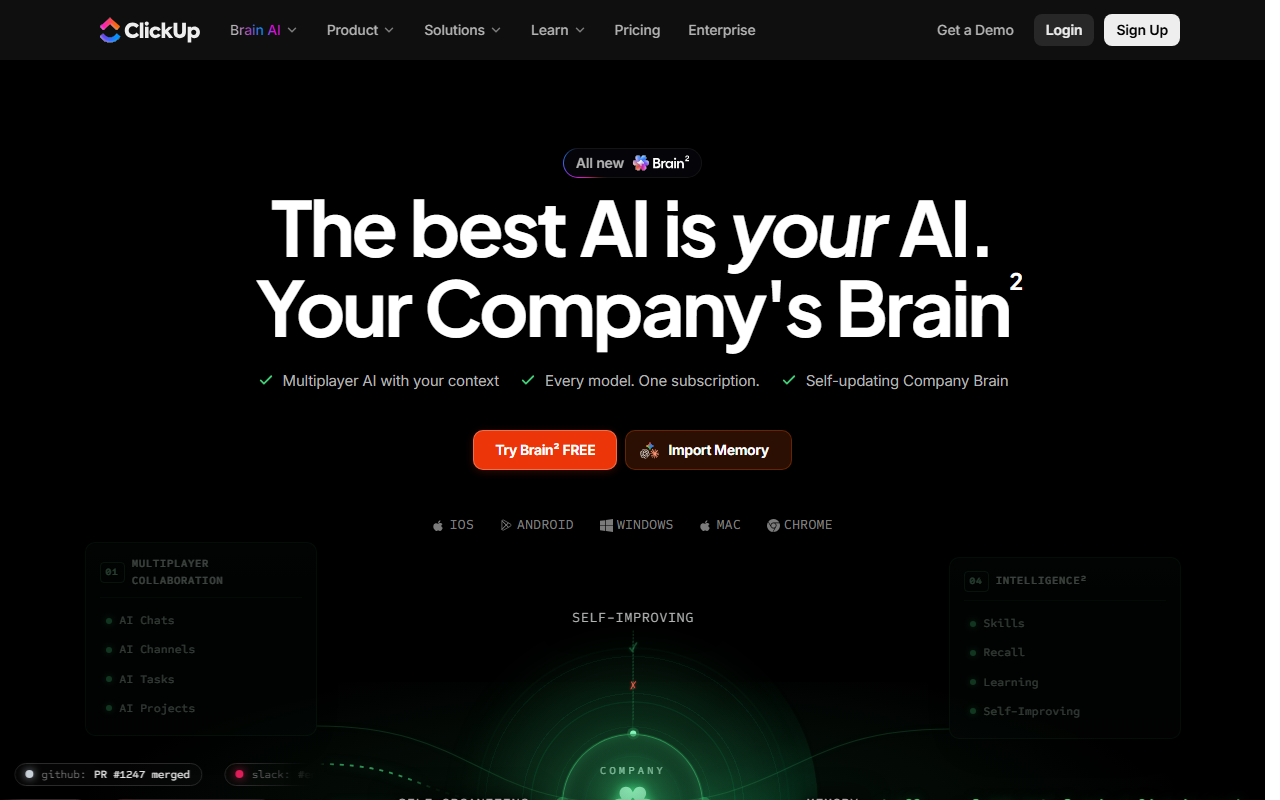
What ClickUp Brain does well: The standout capability of ClickUp Brain is its contextual search across tasks and custom fields. If an employee asks, 'What is the current status of the Q3 mobile onboarding redesign, and who is blocked on QA?', ClickUp Brain parses task descriptions, subtask checklists, and recent activity comments to return an accurate, synthesized summary with direct citations to specific tasks.
Where ClickUp Brain falls short: The writer features (drafting emails, generating tables, rewriting text) are average and often produce generic corporate phrasing. More importantly, ClickUp enforces workspace seat parity. If you manage a fifteen-person team on the seven-dollar Unlimited tier, you cannot purchase ClickUp Brain for three project managers. You must purchase fifteen add-on licenses, increasing your monthly bill from one hundred and five dollars to two hundred and forty dollars.
Worth it ONLY if ClickUp is your team's undisputed primary operating system. If every project, task, and document lives inside ClickUp, the time saved searching across messy boards justifies the fee for project managers. If your team only uses ClickUp for basic task lists, skip the add-on.
Deep Dive 2: Notion AI (Bundled into $20 / Month Business Plan)
Notion previously offered a standalone ten-dollar per user add-on for Notion AI. In 2026, Notion transitioned its packaging strategy: advanced AI capabilities are now primarily bundled into its Business plan, which costs twenty dollars per seat per month (compared to ten dollars for the standard Plus tier).
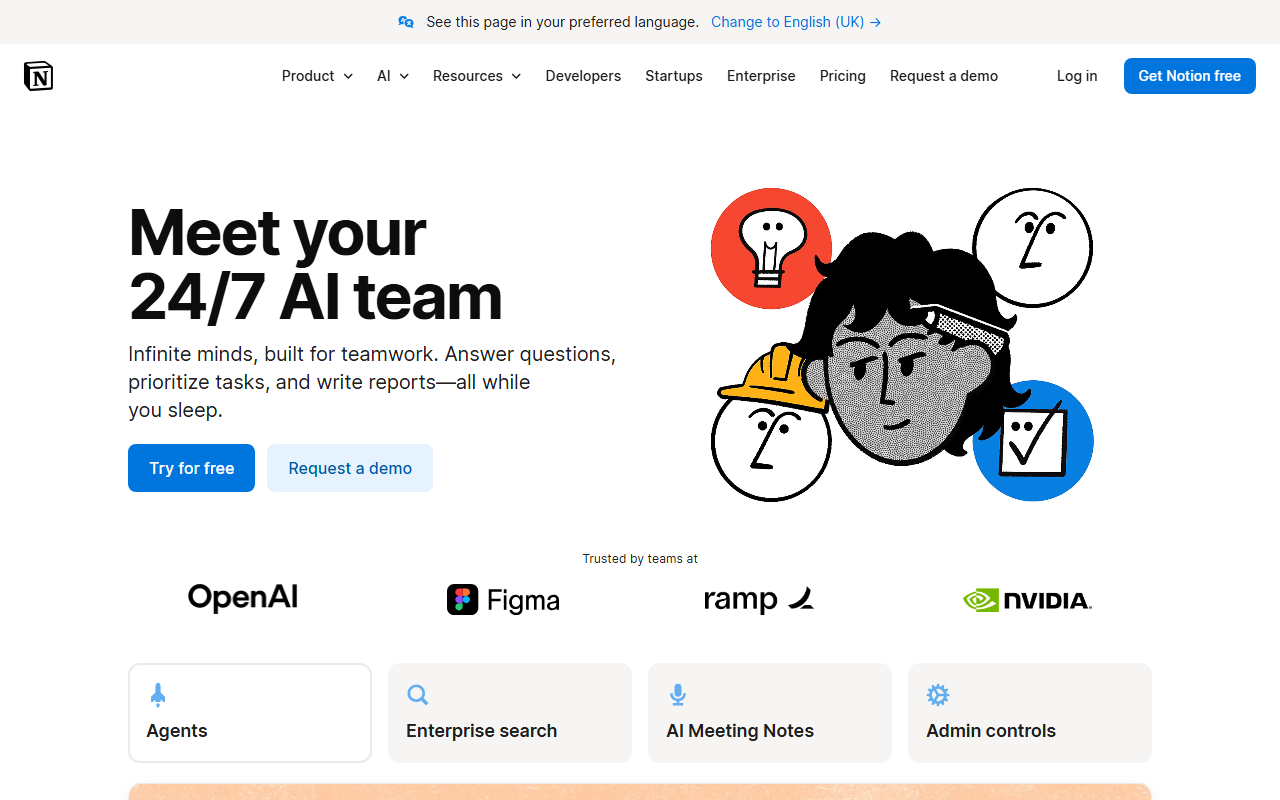
What Notion AI does well: Notion has built one of the best contextual Q&A engines in the productivity market. Because Notion acts as an organized knowledge wiki for thousands of startups, its AI can query complex relational databases, pull information from meeting notes written six months ago, and even index connected external tools like Slack and Google Drive.
Its autofill database property is another genuine timesaver: you can create a column in a database and instruct Notion AI to automatically extract key takeaways, assign sentiment tags, or summarize client meeting notes whenever a new page is added.
Where Notion AI falls short: If your company's Notion workspace is disorganized, cluttered with outdated documents, or abandoned by team members, Notion AI will hallucinate outdated information. It is only as reliable as your workspace hygiene.
Highly recommended for knowledge-heavy teams that treat Notion as their internal Wikipedia. The ability to ask plain-English questions and receive synthesized answers across hundreds of internal pages saves substantial executive and onboarding time.
Deep Dive 3: Zoom AI Companion (Included at $0 on Paid Plans)
While other software vendors treat generative artificial intelligence as an excuse to double customer invoices, Zoom took a completely opposite commercial approach with Zoom AI Companion.
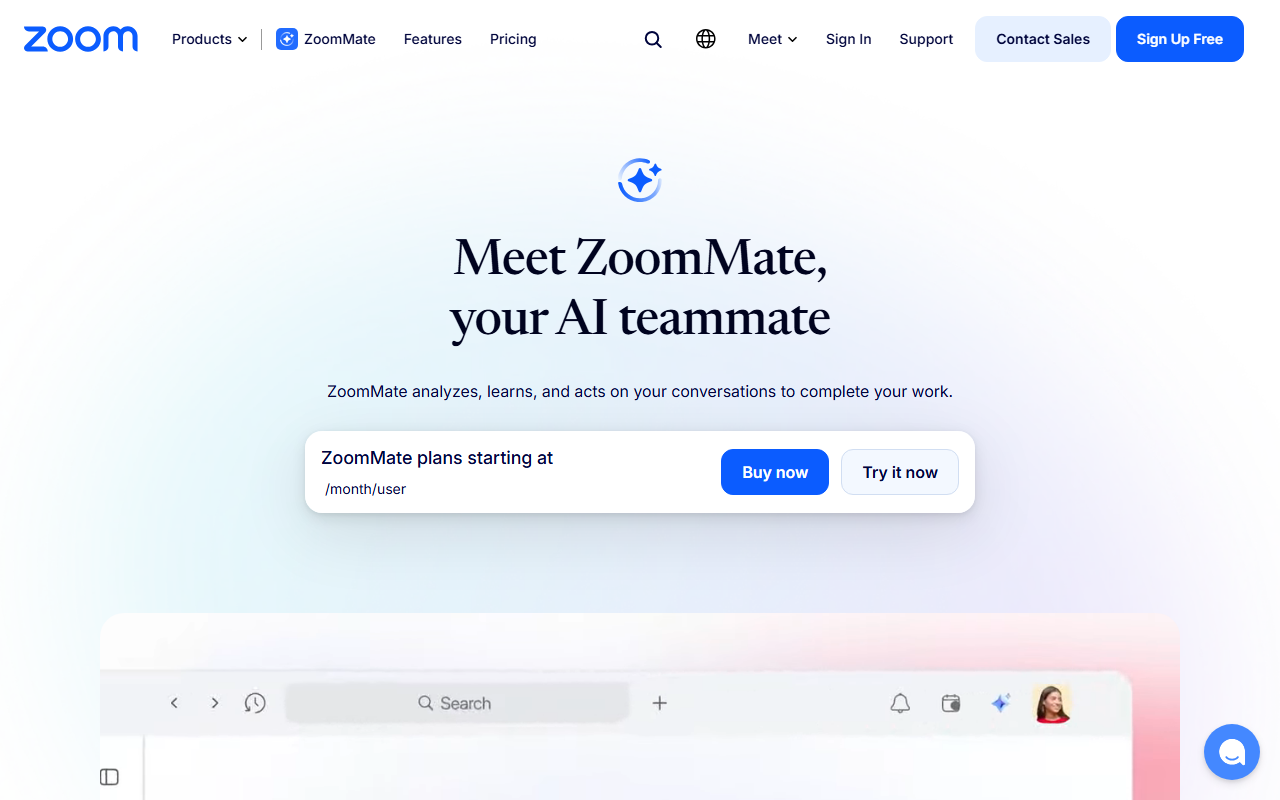
What Zoom AI Companion does: Zoom AI Companion is included at zero additional cost with all standard paid Zoom Workplace plans (starting at $13.32 per user per month). It automatically generates structured meeting summaries, breaks down discussions into chronological chapters, extracts actionable next steps, and emails them to attendees immediately after a call ends.
How it performs in reality: In our testing, Zoom's meeting summaries are remarkably accurate. It accurately attributes quotes to specific speakers, identifies commitments like 'David will send the revised financial model by Thursday,' and filters out conversational filler.
Because it is completely free for paid Zoom users, it renders standalone meeting recording subscriptions like Otter.ai ($10-$20/user/mo) or Fireflies ($10-$19/user/mo) largely redundant for standard internal team calls, delivering immediate software consolidation savings.
An absolute no-brainer. Turn it on in your account settings immediately. You get ninety percent of the utility of specialized meeting transcription tools without paying an additional penny.
Deep Dive 4: Slack AI ($10 / User / Month on Pro & Business+)
Slack introduced Slack AI as a paid add-on priced at ten dollars per user each month for customers on Pro and Business+ plans. For a company paying eight dollars and seventy-five cents for Slack Pro, adding Slack AI represents a one-hundred and fourteen percent price hike on every user seat.
What Slack AI provides: Slack AI focuses on three primary features: Channel Recaps (generating a summary of unread messages in a channel), Thread Summaries (condensing long debates with a single click), and Search Answers (synthesizing conversational search results from public channel archives).
The reality check: While Thread Summaries are convenient when returning from vacation or stepping into a hundred-message discussion, Channel Recaps frequently miss subtle emotional context, nuanced technical decisions, or critical file attachments. More critically, paying ten dollars per seat across a forty-person company equals four hundred dollars a month. That is forty-eight hundred dollars a year simply to read fewer chat messages.
Skip for most teams. The convenience of one-click summaries rarely justifies doubling your company's Slack bill. Instead, encourage team members to write clear top-level updates and use Slack's native free features (like Huddles and Canvases) to maintain concise communication.
Deep Dive 5: Canva Magic Studio & Microsoft 365 Copilot
Two other major software ecosystems represent opposite ends of the AI value spectrum: Canva and Microsoft.
Canva Magic Studio: Canva includes its suite of Magic Studio tools (Magic Write, Background Remover, Magic Switch, Text to Image) inside standard Canva Pro and Canva for Teams plans without requiring an exorbitant extra add-on fee. While heavy generative rendering is governed by a monthly credits allowance, everyday small business users can resize graphics across formats, translate social copy, and remove video backgrounds without unexpected charges. Verdict: Excellent built-in value.
Microsoft 365 Copilot: At thirty dollars per user per month on top of a standard Business Standard subscription ($12.50/mo), Microsoft Copilot represents a staggering two-hundred and forty percent price increase. While its integration with Excel and PowerPoint sounds revolutionary in keynotes, real-world user feedback across Reddit and tech communities shows mixed results with complex financial formulas and formatting. Unless your organization has executive mandates to automate massive enterprise document production, paying thirty dollars per seat is difficult to justify for small and mid-market teams.
Master Comparison: 7 Major SaaS AI Add-Ons Evaluated
Here is our comprehensive assessment of the seven leading embedded AI platforms, comparing pricing models, killer features, and our honest GoPickStack verdict:
| Platform | AI Pricing Model | Workspace Mandate? | Real Killer Feature | Our Honest Verdict |
|---|---|---|---|---|
| Notion AI | Bundled in Business ($20/seat/mo) | Plan-wide upgrade | Connected Q&A across docs and databases | Buy (If Notion is your core wiki) |
| ClickUp Brain | $9 / user / mo add-on | Yes (100% workspace) | Searching across tasks, docs, and comments | Buy (For PM-heavy operations) |
| Zoom AI Companion | $0 (Included on paid plans) | No extra fee | Automated meeting summaries & chapters | Essential (Turn on immediately) |
| Slack AI | $10 / user / mo add-on | Yes (Tier dependent) | Thread and channel recap summaries | Skip (Overpriced for chat summaries) |
| Canva Magic Studio | Included in Pro ($15/mo) with credits | Included in plan | One-click multi-channel format resizing | Buy (Great built-in value) |
| HubSpot Breeze | Credit consumption tiers | Tier-based usage | Customer agent and CRM lead enrichment | Selective (For high-volume sales) |
| Microsoft 365 Copilot | $30 / user / mo add-on | Annual contract required | Drafting emails and Outlook summaries | Skip (Too expensive for SMBs) |
The 4-Question Decision Filter: Should You Buy the Add-on?
Before approving any software invoice containing an AI line item, walk through this four-question diagnostic filter with your team lead:
Question 1: Does the AI possess relational access to proprietary company data that cannot be copy-pasted? If yes, it offers true context intelligence (like Notion or ClickUp). If no, it is a basic text generator you should skip.
Question 2: Does it automate an end-to-end workflow action? If the AI can update CRM fields, reassign project tickets, or publish a status report, it saves tangible administrative clicks.
Question 3: Does the vendor allow selective purchasing? If you can buy five AI seats for your five power users without upgrading your entire forty-person company, the financial risk is low. If they enforce a workspace mandate, the hurdle rate is vastly higher.
Question 4: Does the financial math clear the hurdle rate? Use this simple calculation formula to evaluate the investment:
Net Monthly ROI = (Hours Saved per Active User x Average Hourly Rate x Active Users) - (Monthly Add-on Price x Total Workspace Seats Billed)Notice the multiplier at the end of the formula: Total Workspace Seats Billed. If an add-on saves four project managers two hours per week, but forces you to pay for twenty-five employees who never touch it, your Net Monthly ROI is frequently negative.
The Standalone Alternative: The Central Model Strategy
What should you do instead of buying multiple ten-dollar and twenty-dollar add-ons across your entire software stack? The most cost-effective architecture for small teams is what we call the Central Model Strategy.
Instead of paying for Slack AI ($10/mo), ClickUp Brain ($9/mo), and document add-ons across twelve employees (totaling over $3,000 per year), provide your three or four power users with dedicated standalone subscriptions to Claude Pro ($20/mo) or ChatGPT Plus ($20/mo).
- Frontier Intelligence: Standalone models like Claude 3.5 Sonnet and GPT-4o are consistently smarter, faster, and more capable than the quantized, throttled models embedded inside legacy SaaS apps.
- Artifacts & Coding: Dedicated interfaces provide advanced features like Claude Artifacts, full code execution, custom GPTs, and massive file analysis.
- Zero Workspace Multiplier: You only pay for the specific individuals who actually use generative intelligence daily.
- Requires Manual Context: Users must copy-paste background notes or upload CSV files rather than having the tool read the workspace automatically.
- Zero In-App Triggering: Cannot automatically change task status flags or post comments directly inside your project management tool.
- Data Privacy Diligence: Requires enforcing strict guidelines to ensure employees do not paste sensitive customer identifiers into consumer model tiers.
Who Should Upgrade vs Who Should Skip
To help you make an immediate decision for your team, here is our definitive operational eligibility breakdown:
- Fast-growing teams with 15 to 100 people whose internal documentation is centralized in Notion or ClickUp.
- Operations leads who spend more than five hours a week searching across disparate project boards and customer records.
- Teams utilizing tools with zero-dollar built-in intelligence like Zoom AI Companion or Canva Pro.
- Companies where the software vendor allows selective, individual seat add-ons.
- Small teams with fewer than 10 people where communication happens verbally or in a handful of simple channels.
- Organizations whose documents are scattered across Google Drive, Dropbox, Notion, and email with zero hygiene.
- Companies evaluating platforms that enforce mandatory 100% workspace seat upgrades for a minority of users.
- Anyone who primarily needs an AI assistant to brainstorm copy, edit tone, or draft simple outgoing emails.
Frequently Asked Questions About SaaS AI Add-Ons
Here are direct, vendor-neutral answers to the most common questions buyers ask regarding software AI add-ons and pricing tiers.
Frequently asked questions
 ClickUpOne app to replace your docs, tasks, and goals.
 NotionFlexible docs and databases your whole team can shape.
 ChatGPTThe industry leading AI assistant for writing, coding, and problem solving.ClaudeAnthropic's AI assistant built for nuanced reasoning, writing, and coding.
 LinearThe fast, opinionated issue tracker for product teams.
 CanvaDrag-and-drop design for everyone.
 SlackThe messaging hub for modern teams.
 ZoomHigh-reliability video conferencing, team chat, webinars, and AI meeting summaries at any scale.