 Build my stack
The short answer
Todoist Pro is the best project management software for one person in 2026. It costs $5 a month billed yearly, captures tasks in seconds, and needs almost no setup. ClickUp Free is the best $0 option if you want Gantt charts and docs. Trello is the best pick for visual Kanban thinkers. Skip monday.com: its paid plans start at 3 seats.
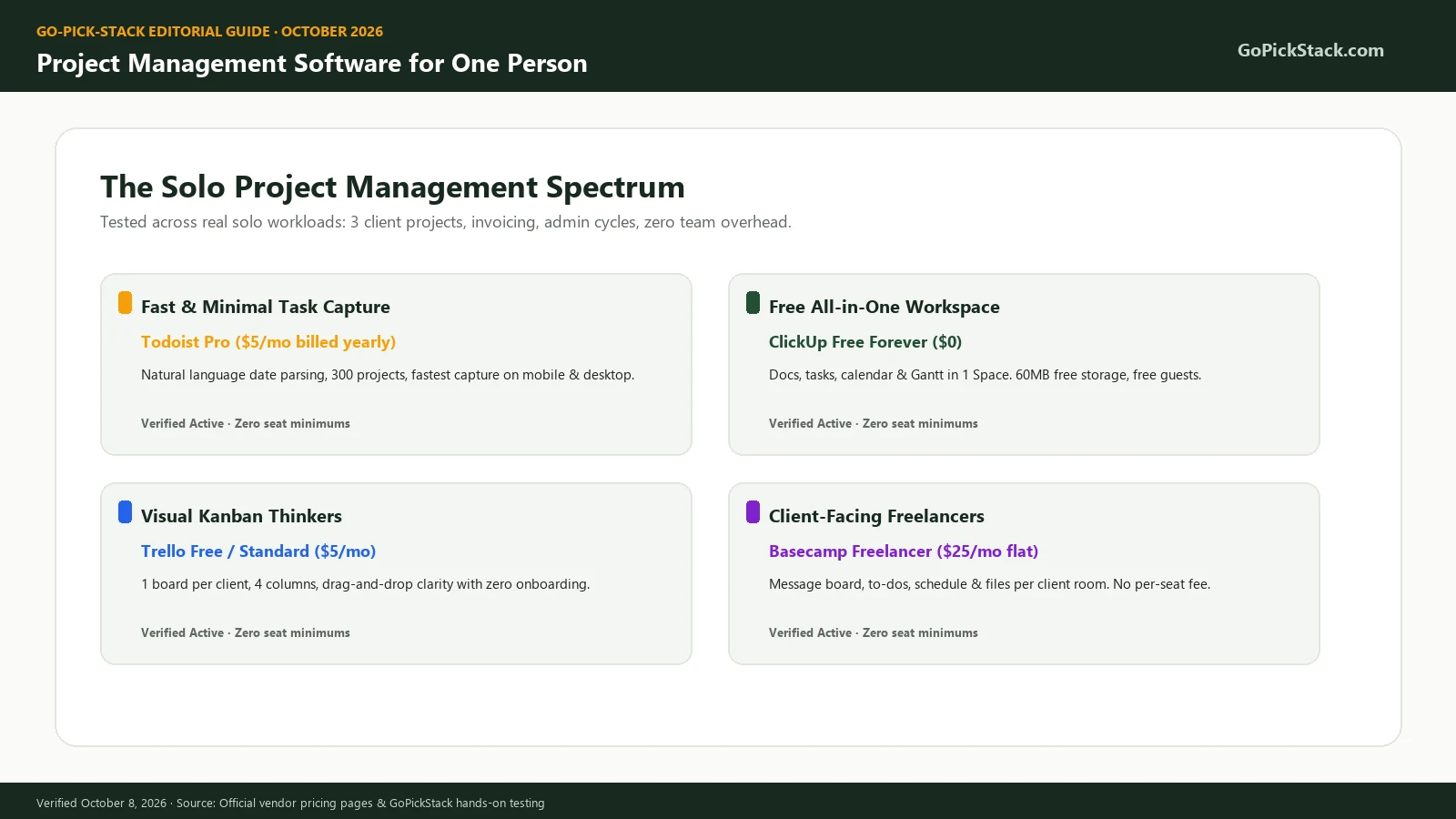
At a glance: our top recommendations
What is project management software for one person?
Project management software for one person is a tool that tracks your projects, milestones, tasks, deadlines, and files in one place. It is built so a single user can run it without a team. Some vendors call it personal project management software or single user project management software. It sits between a simple to-do list and a full team platform. A good one gives you projects, recurring tasks, and a view of the week, without charging for seats you will never fill.
Most guides on this topic get it wrong in one way. They rank tools built for teams of 20. Then they tell a freelancer to "start on the free plan." That advice ignores the real cost of solo work, which is not money. It is the time you spend maintaining the system instead of doing the work.
Here is the core tradeoff every solo buyer faces in 2026:
Simple tools (Todoist, Trello, Things 3)
Fast to use every day, but they run out of room once you need timelines, dependencies, or client reporting.
All-in-one tools (ClickUp, Notion, Airtable)
Can do almost anything, but you become the admin, the designer, and the only user, all at once.
Team tools (Asana, monday.com, Wrike, Jira)
Powerful, but their pricing assumes you have coworkers. monday.com sells paid seats in blocks starting at 3, and Asana's paid plans start at 2 seats.
Why this category grew in 2026
The number of people working alone keeps rising. MBO Partners' 2025 State of Independence report counted 72.9 million independent workers in the United States in 2025. The U.S. Census Bureau reports that businesses with no paid employees grew 2.7% a year on average from 2012 to 2023, compared with 1.1% for businesses with employees.
Vendors noticed. In 2026, most tools in this guide added AI features, and several changed their pricing.
Todoist now charges $7 a month on monthly billing for Pro. Basecamp moved to flat project-based plans, including a $25 Freelancer tier. ClickUp now sells AI as a separate $9 per user add-on.
Independent Research Citations
- •MBO Partners' 2025 State of Independence report MBO Partners' 2025 State of Independence report
- •U.S. Census Bureau reports U.S. Census Bureau reports
The bottom line: in 2026, the right tool for one person has the lowest daily friction and no seat minimum. The longest feature list rarely wins.
Do you actually need project management software as a solo worker?
Many solo workers do not need project management software at all. A to-do list is enough until you juggle more than 2 or 3 active projects with deadlines. After that point, tasks start to live in your email, your notes, and your head, and things slip.
- Do you have more than 3 active projects right now? If yes, a project view helps.
- Do you have recurring work (weekly reports, monthly invoices, content schedules)? If yes, you need reliable recurring tasks.
- Do some tasks depend on others finishing first? If yes, you need dependencies or a timeline.
- Do clients need to see your progress? If yes, you need guest access or a client portal.
- Do you bill by the hour? If yes, you need time tracking, built in or connected.
- Is most of your work writing, research, or documentation? If yes, a notes-first tool fits better than a task-first one.
- Will you hire help in the next 12 months? If yes, pick a tool that scales to a small team without a painful migration.
Stay with a simple task app. Todoist Free or Things 3 is plenty.
Pick a light project tool. Todoist Pro, Trello, or Notion fits.
You need a real project management platform. Look at ClickUp, Basecamp, or Linear.
• There is a cost to skipping this step. Research summarized by the American Psychological Association shows that switching between tasks costs time. Brief mental blocks from switching can eat up as much as 40% of a person's productive time.
• Researcher Gloria Mark at UC Irvine has reported that attention on a single screen now lasts about 47 seconds on average. A solo worker has no project manager to absorb that chaos. The tool has to do it.
• However, a tool cannot fix a messy process. If you never review your list, no app will save you. That is why we include a simple weekly system later in this guide.
The bottom line: if you answered "yes" to 2 or more questions, a light project tool will pay for itself in recovered focus within the first month.
How we tested project management tools for solo use
We ranked these tools by how well one person can run real work in them, at the lowest true cost, with the least upkeep. We did not rank by feature count, review score, or affiliate payout. Every tool on this list already has a full hands-on review on GoPickStack. For this guide we went back into each one and ran the same solo test workspace:
Standard Test Workspace Environment
- Three client projects with deadlines, files, and a short brief.
- One personal project (a website relaunch) with tasks that depend on each other.
- A recurring weekly admin task and a monthly invoicing reminder.
- A content calendar with 8 posts across 4 weeks.
- One shared view for a client, to test guest access and what it costs.
- A full export at the end, to see if we could leave with our data.
Capture speed
How fast a new task gets in, from desktop and phone.
Daily friction
How many clicks it takes to see "what do I do today."
Solo cost
The real price for exactly one person, including seat minimums.
Free plan ceiling
The first limit a solo user hits on the free tier.
Client sharing
Whether a client can see progress, and what that costs.
Exit cost
Export formats and how much setup you lose if you leave.
We re-checked every price, plan name, and free plan limit on the vendor's official pricing page on October 8, 2026. Where a vendor page did not show a number clearly, we say so instead of guessing.
Why trust this guide
GoPickStack is run by one accountable reviewer, Muhammad Shadab Shams, with no anonymous writers. That matters here, because this guide is about working alone, and we run GoPickStack as a solo operation too. We use a task app, a docs tool, and a kanban board every day to publish reviews across 231 tools and 25 categories.
We also publish what we did not test, list the date of every price, and log every change at the bottom of the page. If a competitor does something better than our top pick, we say it, with a link.
The bottom line: these rankings reflect one person running real projects, not a team demo with a sales rep on the call.
Who this guide is for (and who should skip it)
- A freelancer with 2 to 10 clients who needs deadlines and client updates in one place.
- A solo founder or indie hacker shipping a product alone.
- A consultant running several engagements at once.
- A creator managing a content calendar, sponsors, and production tasks.
- A side-project builder with a day job and limited evening hours.
- You manage a team of 5 or more. Read our guide to the best project management software for small teams instead.
- You only need a shopping list or daily checklist. Any free phone app works.
- You need enterprise features such as SSO, SCIM, or audit logs. Those tiers are out of scope here.
The bottom line: if you are the only person who assigns, does, and checks your work, this guide is written for you.
The 8 best tools ranked, tested, and audited
Ranked for single-person execution: setup friction, daily upkeep burden, and true solo out-of-pocket costs.
Todoist
Todoist wins because it is the fastest way for one person to capture, schedule, and finish work, and it costs $5 a month on yearly billing. You type "Send invoice to Acme every last Friday" and Todoist creates a recurring task with the right date. No forms, no dropdowns.
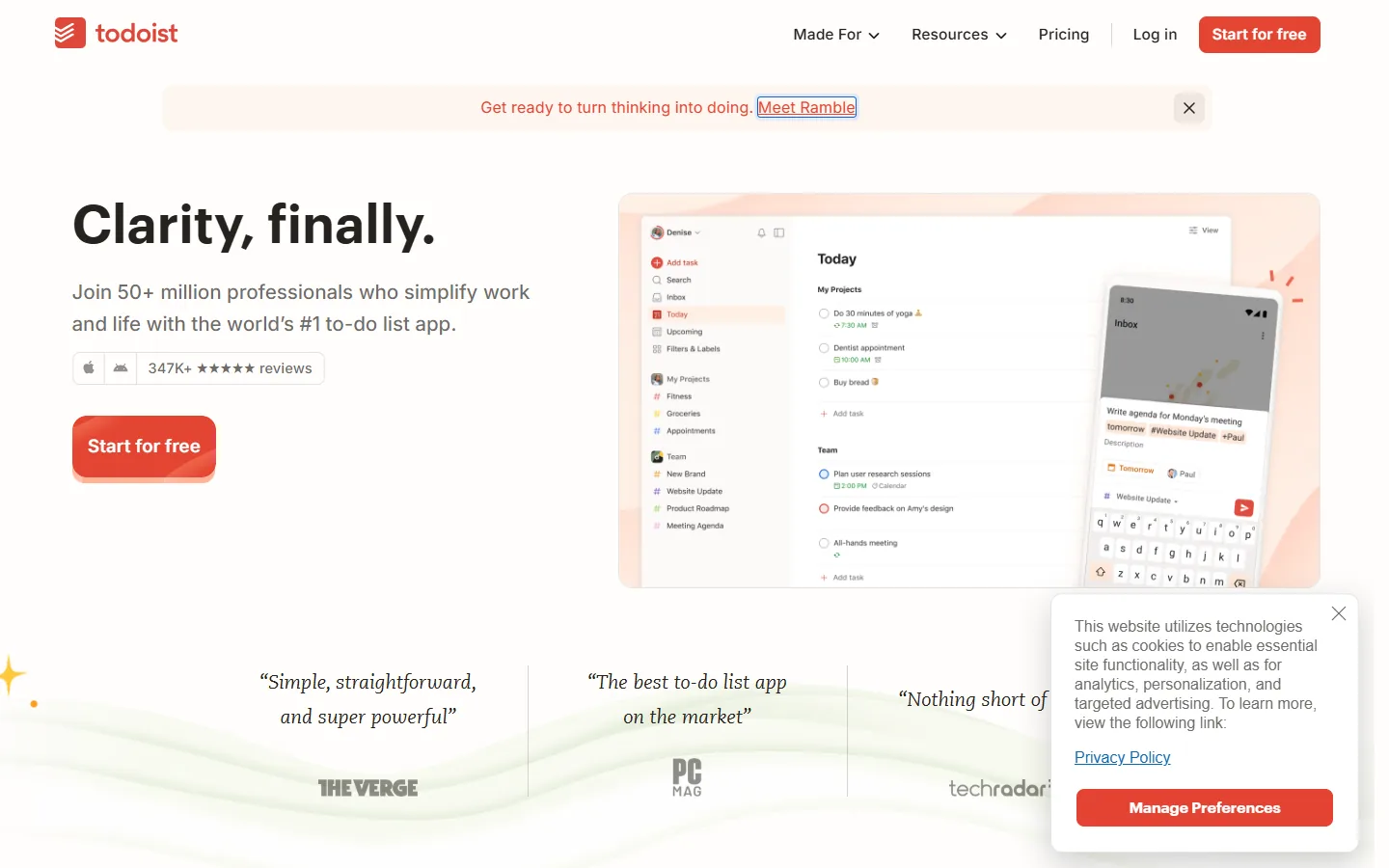
Standout Feature: Standout feature in practice: natural language quick add.
In our solo test workspace, we added every task for the three client projects by typing plain sentences. Dates, priorities, labels, and projects all parsed from the text. This is the feature that makes people actually keep using a task app after week two.
What you get:
- Free (Beginner): 5 personal projects, 3 filters, 5MB file uploads, and 1 week of activity history.
- Pro: $5 a month billed yearly ($60 a year) or $7 month to month. You get 300 personal projects, 150 filters, 100MB uploads, full history, a calendar layout, and task durations (verified October 8, 2026). Todoist pricing
- Trial: 7 days of Pro.
- Fastest task capture we have tested, on desktop and phone.
- Recurring dates handle real patterns like "every 2nd Tuesday."
- Subtasks and priorities break big client tasks into small steps.
- List, board, and calendar layouts cover most solo needs.
- Cheap: $60 a year is less than one hour of most freelancers' billable time.
- No Gantt chart or timeline for planning long projects.
- No built-in time tracking. You need a separate timer app if you bill hourly.
- The 5-project cap on Free arrives fast once you have 3 clients plus personal work.
Who it fits: Freelancers, consultants, and solo founders who think in tasks and deadlines.
Who should skip: Anyone who plans in timelines or needs to show clients a Gantt chart.
Bottom line: The bottom line: Todoist is the right pick for most solo workers because it removes friction from the one habit that matters most, writing every task down.
ClickUp
ClickUp Free Forever gives one person unlimited tasks, docs, multiple views, and limited Gantt access at no cost. No other tool on this list gives a solo user this much structure for free.
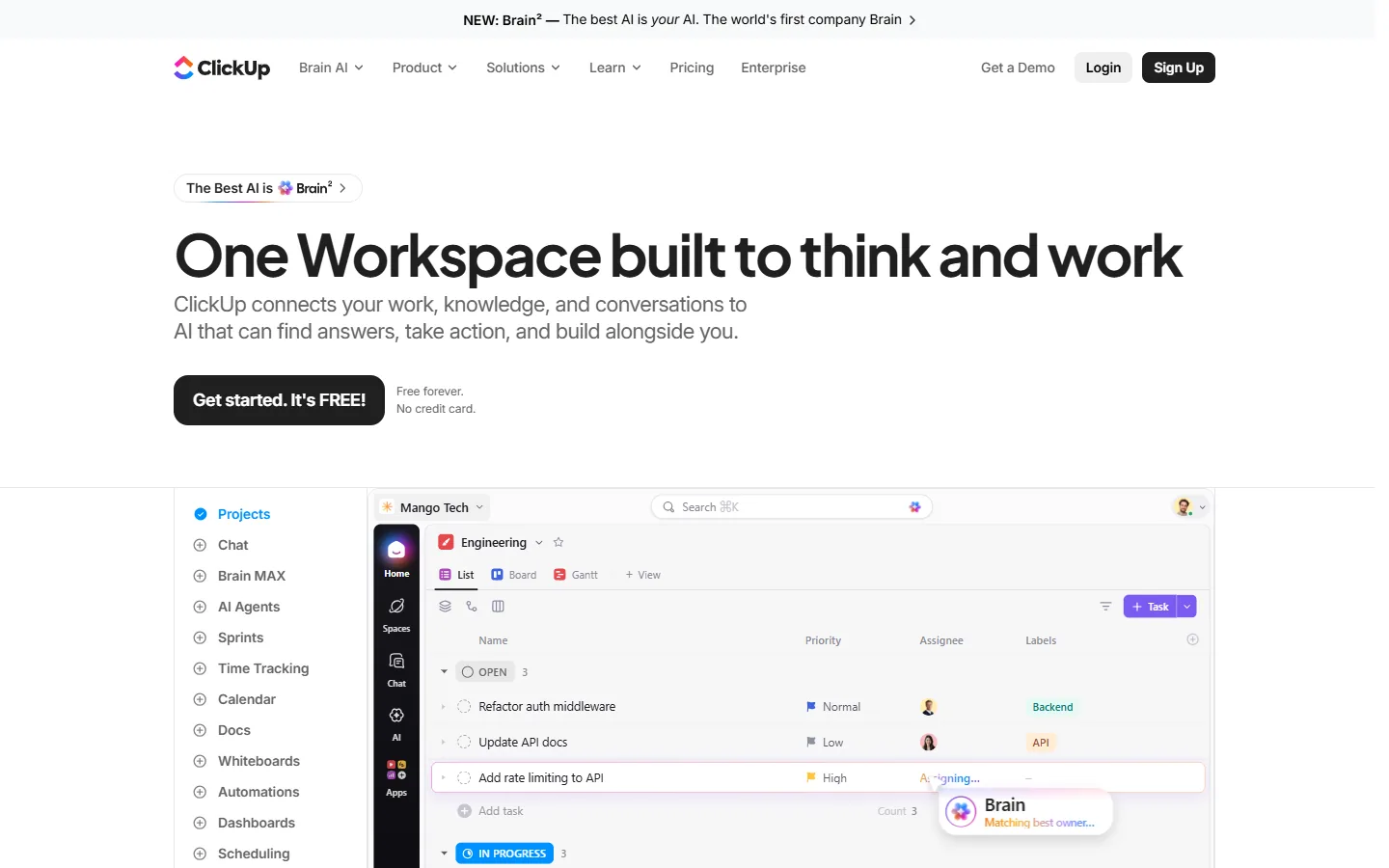
Standout Feature: Standout feature in practice: everything in one place.
In our test workspace, we kept the client briefs as Docs, the tasks in Lists, and the content calendar in a Calendar view, all inside one Space. For a solo worker who hates switching apps, that is a real win.
What you get:
- Free Forever: unlimited tasks, unlimited members, and unlimited guests. You also get 5 Spaces and 60MB of storage. Automation is capped at 5 active rules and 100 runs per month, and you get 60 total uses of Gantt, timeline, and workload views (verified October 8, 2026). ClickUp pricing
- Unlimited: $7 per user a month billed yearly, or $10 month to month.
- AI add-on: ClickUp Brain costs an extra $9 per user a month.
- The most complete free plan in this guide.
- Free guests make client sharing possible at $0.
- Docs, tasks, whiteboards, and forms live together.
- Grows with you if you hire a contractor later.
- 60MB of free storage fills up after a few client files.
- Gantt and timeline uses on Free are cumulative. Once you hit 60, they do not reset.
- Setup takes real effort. Our ClickUp review found teams need weeks to configure it, and solo users still face a learning curve.
Who it fits: Solo operators with 5 or more projects who want docs and tasks in one free tool.
Who should skip: Anyone who wants to open an app and start working in 5 minutes.
Bottom line: The bottom line: ClickUp is the right pick when you want maximum structure for $0 and you are willing to spend an afternoon setting it up.
Trello
Trello is the simplest way to see every project at a glance. You get one board, a few columns, and cards you drag from "To do" to "Done." It is the tool most people already understand without a tutorial.
Standout Feature: Standout feature in practice: one board per client.
In our test workspace, we gave each client a board with four columns: Backlog, This week, Waiting on client, Done. The "Waiting on client" column alone made blocked work visible in a way a list never does. That idea comes straight from Kanban, which Atlassian describes as visualizing work and limiting how much is in progress at once.
What you get:
- Free: up to 10 boards per Workspace, unlimited cards, 10MB per file, and 250 automation command runs a month.
- Standard: $5 per user a month billed yearly, or $6 monthly, with 250MB per file and 1,000 command runs.
- Premium: $10 per user a month billed yearly, or $12.50 monthly, adding Calendar, Timeline, Table, and Dashboard views plus unlimited automation (verified October 8, 2026). Trello pricing
- Trial: 14 days of Premium, no card needed.
- Learn it in minutes. No training needed.
- Free plan is generous for 1 to 3 clients.
- Butler automation moves cards for you, even on Free.
- Clients can join a board easily.
- The 10-board cap on Free limits you once you pass 9 clients or projects.
- No native task dependencies or time tracking.
- Calendar and Timeline views require Premium at $10 a month.
Who it fits: Designers, creators, and freelancers who think visually.
Who should skip: Anyone who needs timelines or reporting on the free plan.
Bottom line: The bottom line: Trello is the right pick when you want to see all your work on one screen and you never want to read a help doc.
Notion
Notion is the best choice when your project is a document first and a task list second. It lets you build a project database where every row is a page, so the brief, the notes, and the tasks live together.
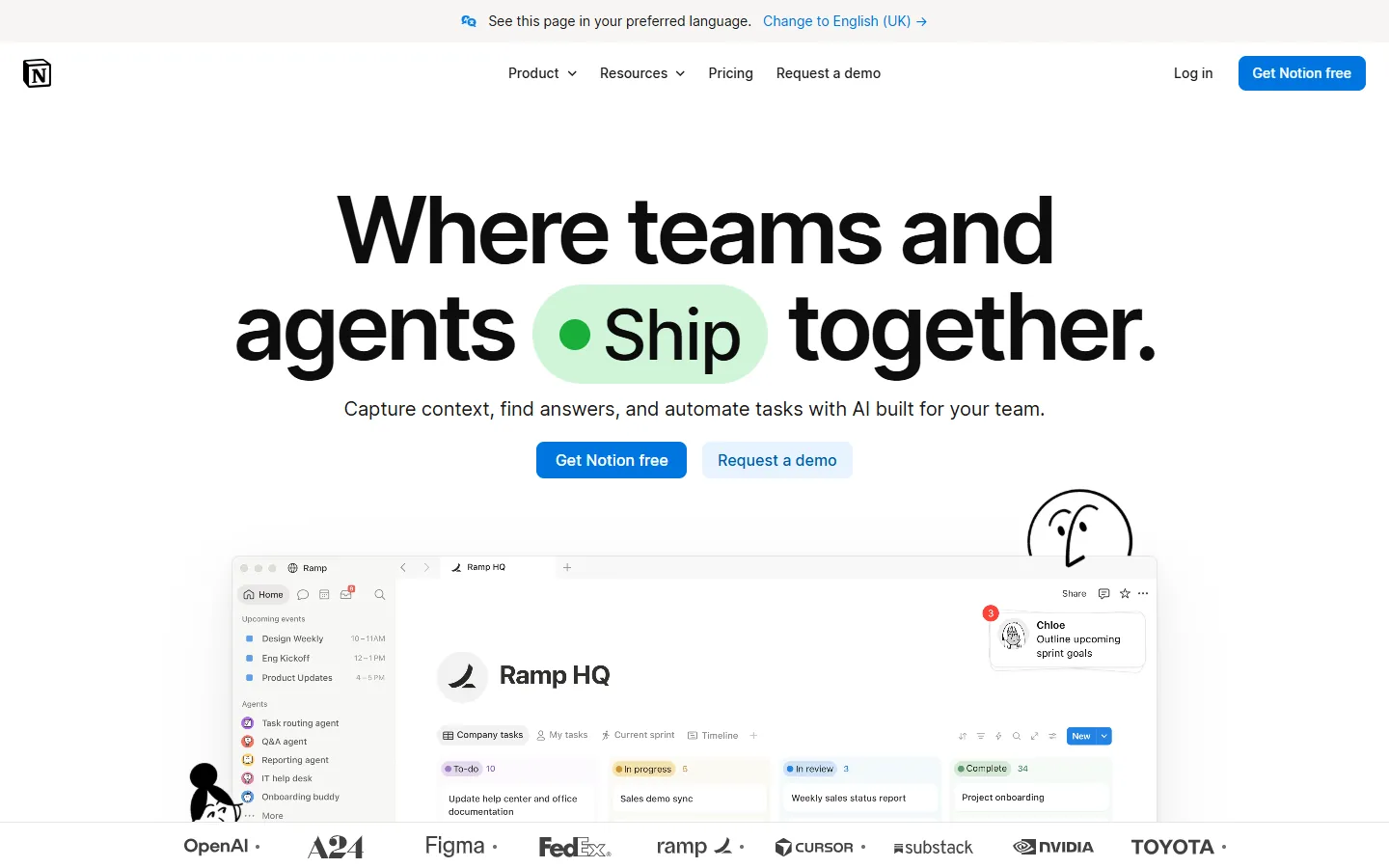
Standout Feature: Standout feature in practice: databases with linked pages.
In our test workspace, we built one Projects database and one Tasks database, then linked them. Each client project page showed its own tasks, notes, and files. Writers and consultants love this, because the context is never more than one click away.
What you get:
- Free: unlimited pages and blocks for a solo user, 5MB per file upload, and up to 5 guests. Free workspaces with 2 or more members get limited blocks (verified October 8, 2026). Notion pricing
- Plus: $10 per member a month on monthly billing, with unlimited file uploads. We were unable to verify the current annual price on Notion's pricing page.
- AI: Custom Agents are free to try, then cost $10 per 1,000 Notion credits.
- Unlimited pages on the solo Free plan.
- Docs, wikis, and tasks in one workspace.
- Five free guests cover most client sharing needs.
- Thousands of community templates for solo workflows.
- You must build your own system. A blank page is not a project plan.
- Mobile capture is slower than Todoist.
- Offline access is limited to pages marked as Recents and Favorites, which auto-download.
Who it fits: Writers, researchers, consultants, and anyone who keeps detailed project notes.
Who should skip: People who want a ready-made system with zero design work.
Bottom line: The bottom line: Notion is the right pick when your work lives in documents and you enjoy shaping your own tools.
Linear
Linear is the fastest issue tracker for one developer, and its free plan covers up to 250 issues. It is built around keyboard shortcuts, cycles, and GitHub links, so it fits the way developers already work.
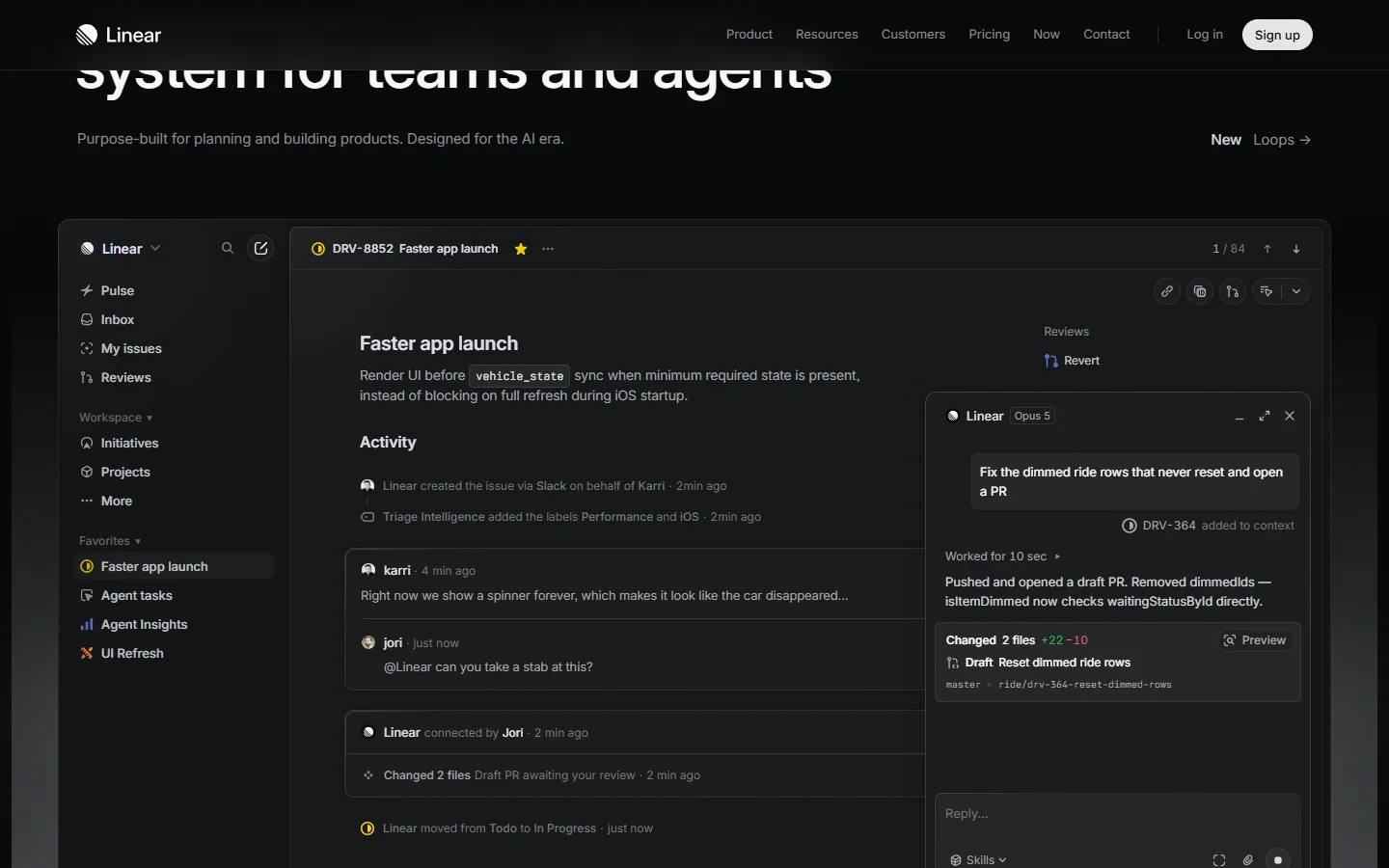
Standout Feature: Standout feature in practice: cycles.
In our test, we ran our website relaunch project as two-week cycles. Linear rolled unfinished issues into the next cycle on its own. For a solo builder, that gives you a sprint rhythm without a scrum master.
What you get:
- Free: unlimited members, 2 teams, 250 issues, and 10MB file uploads. Once you pass 250 issues, you cannot create new ones until you archive old ones or upgrade (verified October 8, 2026). Linear pricing
- Basic: $10 per user a month billed yearly, with unlimited issues and uploads.
- Extremely fast, keyboard-first interface.
- GitHub and GitLab integration links commits to issues.
- Cycles and projects give solo builders a clear rhythm.
- GoPickStack rates it 4.8, our highest score in the category.
- Built for software. Content or client work feels forced.
- No Gantt chart and no native time tracking.
- The 250-issue cap arrives within a few months of active building.
Who it fits: Solo developers, indie hackers, and technical founders.
Who should skip: Freelancers doing design, writing, or marketing work.
Bottom line: The bottom line: Linear is the right pick when your projects are code and you want the tool to stay out of your way.
Basecamp
Basecamp is the best tool for a freelancer who brings clients into the project. Its Freelancer plan costs a flat $25 a month instead of charging per user. Each project gets its own message board, to-dos, schedule, and files.
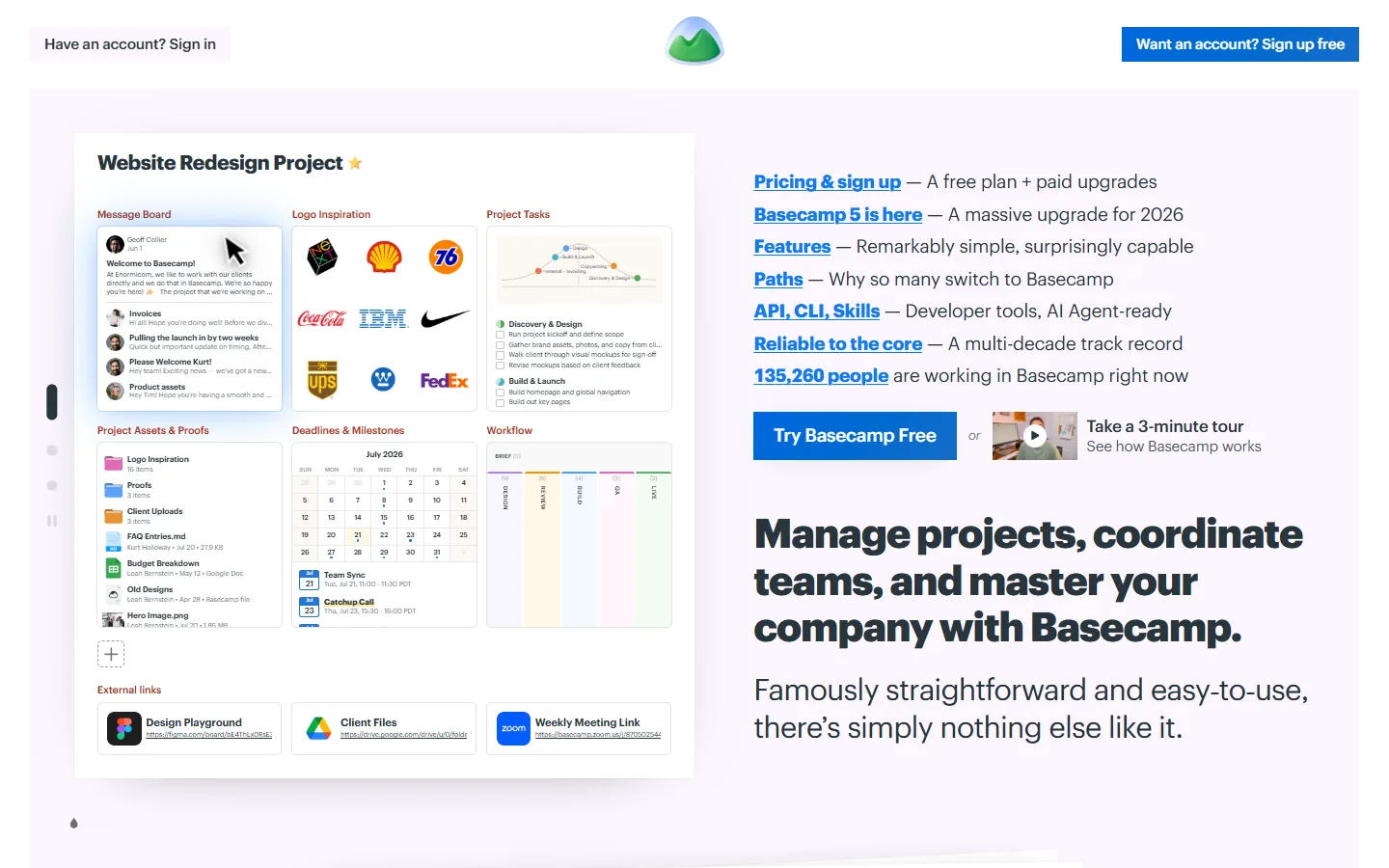
Standout Feature: Standout feature in practice: one project, one client room.
In our test workspace, we invited a client to one project. They saw messages, to-dos, and files for their project only. That separation is what client-facing freelancers need, and Basecamp does it without setup.
What you get:
- Free: one active project.
- Freelancer: $25 a month for 3 active projects, 5GB of storage, and 20 users.
- Studio: $59 a month for 10 projects, 25GB, and unlimited users (verified October 8, 2026). Basecamp pricing
- Trial: 30 days, no card needed.
- Flat pricing, so adding a client does not add cost until you hit the user cap.
- Clean client experience with no training needed.
- Message boards replace long email threads.
- Hill Charts show progress in a way clients understand.
- Only 3 active projects on Freelancer. A 4th client means upgrading to $59.
- No Gantt chart and no Kanban-first view.
- Expensive compared with Todoist or Trello if you never share with clients.
Who it fits: Freelance designers, developers, and consultants with 1 to 3 clients at a time.
Who should skip: Solo workers who never invite clients.
Bottom line: The bottom line: Basecamp is the right pick when client communication is half your job and you want one flat bill.
Asana
Asana's free Personal plan works well for one person, but its paid plans require a minimum of 2 seats, so a solo user pays double. That makes it a weak paid choice for one person and a strong one for a future team of two or more.
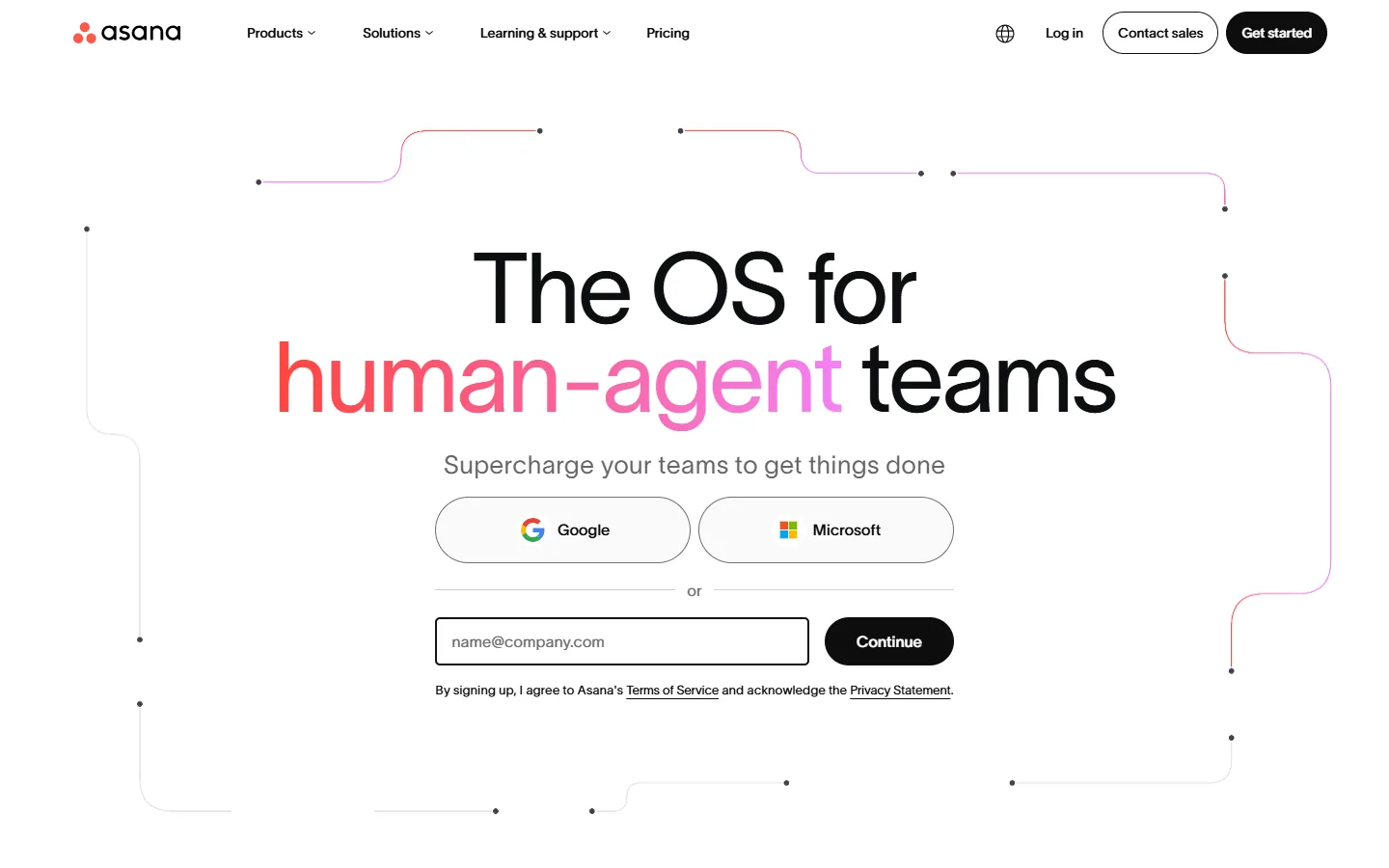
Standout Feature: Standout feature in practice: structured multi-step projects.
In our test workspace, Asana's Personal plan handled list, board, and calendar views smoothly. The friction appeared when we looked for timeline views and dependencies, which sit behind the Starter tier.
What you get:
- Personal (Free): up to 2 users, unlimited tasks and projects, list, board, and calendar views, and 100MB per file. No timeline, automation, custom fields, or forms.
- Starter: $10.99 per user a month billed yearly, or $13.49 monthly, with a 2-seat minimum (verified October 8, 2026). Starter adds Timeline, dependencies, and forms. Asana pricing
- Clean, structured interface for multi-step projects.
- Personal plan is free with unlimited projects.
- Scales smoothly to a team later.
- 2-seat minimum makes Starter cost one person at least $263.76 a year.
- Timeline and dependencies sit behind the paid plan.
- Time tracking only arrives on Advanced at $24.99 per user a month billed yearly.
Who it fits: Solo workers who plan to hire an employee or contractor within the year.
Who should skip: Strict solopreneurs who refuse to pay for unused seats.
Bottom line: The bottom line: use Asana Personal for free if you like its structure, but do not pay for Starter as a solo worker.
monday.com
monday.com is a strong team tool, but its paid plans sell seats in a minimum bucket of 3, so one person pays for two empty seats. The advertised $9 per seat becomes $27 a month for a solo user.
Standout Feature: Why we rank it last for solo workers:
The 3-seat minimum is the worst deal on this list for one person. The Free plan's 3-board cap is too tight for real client work, and the features that matter (Timeline, automations) start on Standard at $432 a year for 3 seats.
What you get:
- Free: up to 2 seats and 3 boards, with no automations or integrations.
- Basic: $9 per seat a month billed yearly, or $12 monthly, with a 3-seat minimum. That is $324 a year for one person.
- Standard: $12 per seat billed yearly, adding Timeline, Gantt, and 250 automation actions a month (verified October 8, 2026). monday.com pricing
- Polished visual interface with customizable board columns.
- Strong automation engine once on Standard or Pro.
- Popular across agencies with large collaborative teams.
- The 3-seat minimum forces solo buyers to pay for 2 empty chairs.
- 3-board cap on Free is restrictive.
- Standard plan costs $432 a year for a single user.
Who it fits: Teams of 3 or more who need a Work OS.
Who should skip: Anyone working as a solo operator.
Bottom line: The bottom line: monday.com is a good product sold the wrong way for one person, so pick Trello or ClickUp instead.
Comparison: the best project management apps for one person side by side
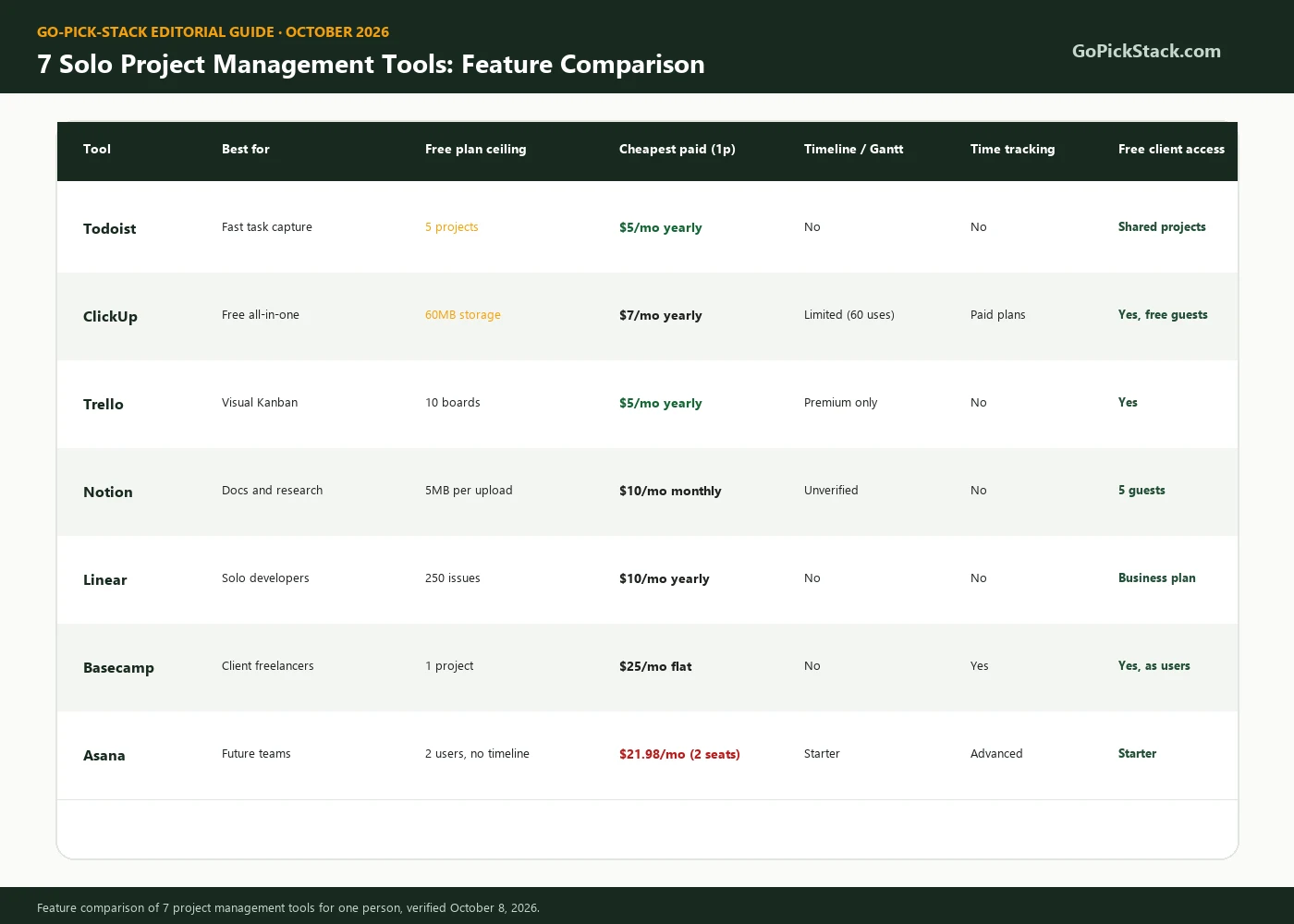
Here is how our 7 recommended tools compare on the features a solo worker uses most. monday.com is left out because we do not recommend it for one person. Prices are for exactly one person, billed yearly where available, verified October 8, 2026.
| Tool | Best for | Free plan ceiling | Cheapest paid (1 person) | Timeline / Gantt | Time tracking | Free client access |
|---|---|---|---|---|---|---|
| Todoist | Fast task capture | 5 projects | $5/mo yearly | No | No | Shared projects |
| ClickUp | Free all-in-one | 60MB storage | $7/mo yearly | Limited (60 uses) | Paid plans | Yes, free guests |
| Trello | Visual Kanban | 10 boards | $5/mo yearly | Premium only | No | Yes |
| Notion | Docs and research | 5MB per upload | $10/mo monthly | Unverified | No | 5 guests |
| Linear | Solo developers | 250 issues | $10/mo yearly | No | No | Business plan |
| Basecamp | Client-facing freelancers | 1 project | $25/mo flat | No | Yes | Yes, as users |
| Asana | Future teams | 2 users, no timeline | $21.98/mo (2 seats) | Starter | Advanced | Starter |
True solo cost: what one person really pays in 2026
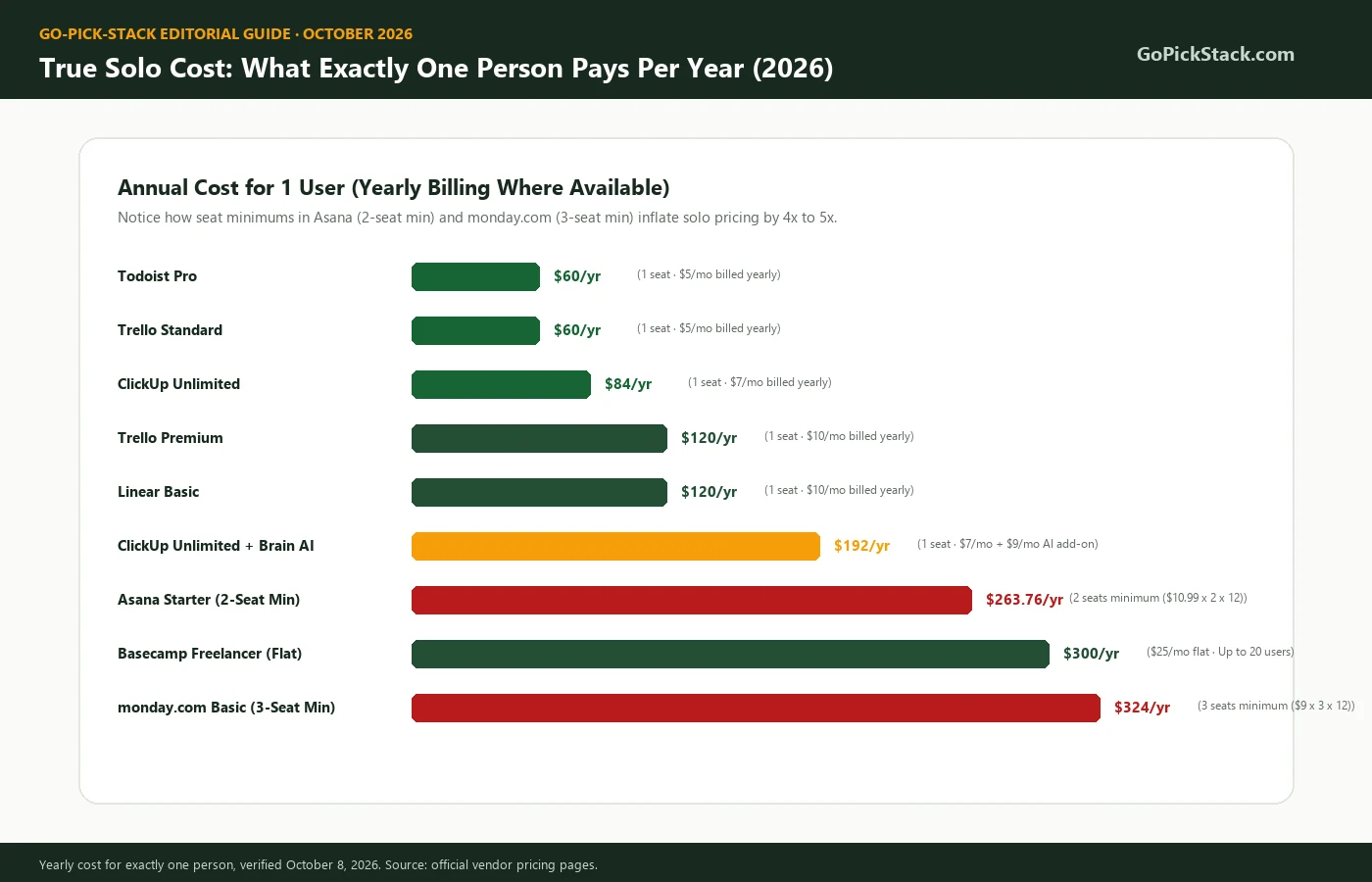
For one person, the real yearly cost ranges from $60 (Todoist Pro or Trello Standard) to $324 (monday.com Basic). Seat minimums can multiply the advertised price by 2 or 3. Few guides on this topic publish this math for one seat.
| Tool and plan | Yearly billing (1 person) | Monthly billing (1 person, 12 months) | 3-year cost (yearly billing) | Seat rule |
|---|---|---|---|---|
| Todoist Pro | $60 | $84 | $180 | 1 seat |
| Trello Standard | $60 | $72 | $180 | 1 seat |
| ClickUp Unlimited | $84 | $120 | $252 | 1 seat |
| ClickUp Unlimited + Brain AI | $192 | $228 | $576 | 1 seat |
| Trello Premium | $120 | $150 | $360 | 1 seat |
| Linear Basic | $120 | Not listed | $360 | 1 seat |
| Notion Plus | Unverified | $120 | Unverified | 1 seat |
| Asana Starter | $263.76 | $323.76 | $791.28 | 2-seat minimum |
| Basecamp Freelancer | Unverified | $300 | Unverified | Flat, 20 users |
| monday.com Basic | $324 | $432 | $972 | 3-seat minimum |
All prices come from each vendor's official pricing page, verified October 8, 2026. Taxes and regional pricing are not included.
Key Pricing Takeaways for One-Person Teams
- Todoist Pro and Trello Standard tie as the cheapest paid plans at $60 a year.
- AI add-ons can more than double your bill. ClickUp Unlimited jumps from $84 to $192 a year once you add Brain.
- Seat minimums are the biggest trap. Asana and monday.com cost one person 4 to 5 times more than Todoist.
Bottom line: The bottom line: if budget matters, start with Todoist Pro or Trello Standard, and never pay for a plan with a seat minimum when you work alone.
Hidden costs that catch solo buyers
The sticker price is rarely what a solo worker ends up paying. These are the hidden costs we found while checking every pricing page for this guide:
Seat minimums
monday.com sells paid seats in a minimum of 3. Asana's paid plans start at 2 seats. One person pays for empty chairs.
Cumulative free uses
ClickUp Free gives you 60 total uses of Gantt, timeline, and workload views. They do not reset each month.
Storage caps
ClickUp Free stops at 60MB total. Todoist Free and Notion Free cap each upload at 5MB, and Trello Free caps each file at 10MB.
AI add-ons
ClickUp Brain costs $9 per user a month on top of your plan. Notion Custom Agents run on paid credits after the free trial.
Annual-only discounts
Todoist Pro costs $60 a year on yearly billing, but $84 if you pay monthly. That is a 40% difference.
Project caps
Basecamp Freelancer allows 3 active projects. A 4th client pushes you to Studio at $59 a month.
Issue caps
Linear Free stops new issues at 250 until you archive or upgrade.
Downgrade losses
Moving from a paid plan back to Free can lock views, automations, or projects above the free limit. Export first.
Bottom line: The bottom line: before you subscribe, find the one limit you will hit first, and price the plan that removes it.
Best project management app by solo use case
The best tool depends on the type of solo work you do. Use this map to find your match in one line:
Todoist Pro at $60 a year, or Trello Free if you have 3 clients or fewer.
View full stack / reviewBasecamp Freelancer, for one flat bill and a calm client room.
View full stack / reviewClickUp Unlimited, which includes native time tracking on paid plans. Pair Todoist with a separate timer if you prefer simplicity.
View full stack / reviewLinear Free until 250 issues, then Basic.
View full stack / reviewNotion, with one database per client.
View full stack / reviewTrello with a board per channel, or Notion with a calendar database.
View full stack / reviewTodoist Free or Trello Free. Both cover small projects at $0.
View full stack / reviewClickUp, because it scales to a team without a migration.
View full stack / reviewThings 3 (see below), a one-time purchase.
Todoist Free. Less setup means more building.
View full stack / reviewThe bottom line: match the tool to your work type first, and to the feature list second.
Other tools worth knowing (not yet fully reviewed)
These six tools are popular with solo workers, but GoPickStack has not completed full hands-on reviews of them yet, so we do not rank them. We list them with prices verified on official pages on October 8, 2026, so you can compare.
Things 3
A one-time purchase per Apple device with no subscription. US App Store prices we checked: $34.99 for Mac, $9.99 for iPhone, and $19.99 for iPad. Mac has a 15-day trial. Apple only, with no real-time sharing.
Cultured Code pricingTickTick
A free plan with 9 lists, 99 tasks per list, and 2 reminders per task, plus Pomodoro and habit tracking. We were unable to verify the current Premium price on TickTick's official page.
Akiflow
$19 a month billed yearly or $34 monthly, with a 7-day trial that requires a card. Strong for time blocking and has an offline mode.
Akiflow pricingSunsama
$17 a month billed yearly ($204 a year) or $22 monthly, with a 14-day trial and no card. Built around guided daily planning. Its own pricing page shows an older $25/$20 price in the FAQ, so check before you buy.
Plutio
$19 a month for the solo Core plan, with up to 9 active clients, time tracking, invoices, proposals, and a client portal. The closest thing to a freelancer all-in-one.
Plutio pricingMotion
An AI scheduling tool. Its pricing page shows Pro AI at $19 per seat a month billed yearly on the team tab. We were unable to verify a separate solo price.
The bottom line: if you want a planner, not a project tool, Sunsama or Akiflow fits. If you want invoices and a client portal inside your project tool, look at Plutio.
A simple solo project management system you can set up in one afternoon
The tool matters less than the routine. This 5-part system works in any app on this list. It borrows from two proven methods, Getting Things Done and Kanban.
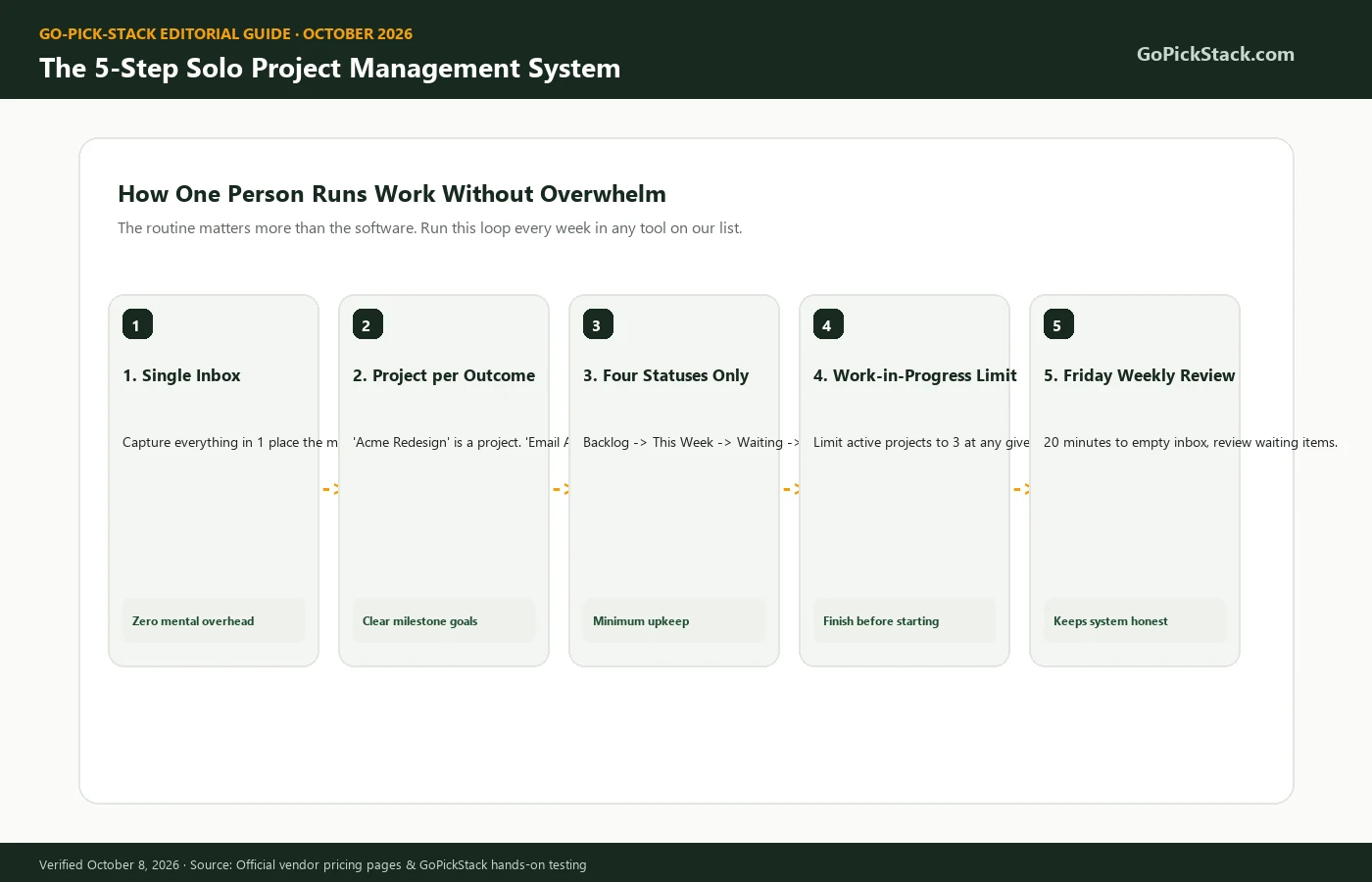
Capture everything in one inbox.
Every task, idea, and request goes into one place the moment it appears. This is the first step of Getting Things Done, which lists five steps: capture, clarify, organize, reflect, and engage.
Create one project per outcome.
"Acme website redesign" is a project. "Email Acme" is a task inside it.
Use four statuses only.
Backlog, This week, Waiting, Done. More columns create more upkeep.
Limit active projects to 3.
Kanban calls this a work-in-progress limit. It stops you from starting everything and finishing nothing.
Run a 20-minute weekly review every Friday.
Empty the inbox, move tasks to next week, and check every "Waiting" item.
Tool Setup Templates
Todoist
One project per client, sections for the four statuses, and a recurring "Weekly review every Friday" task.
Trello
One board per client with the four columns, plus a personal board for admin.
ClickUp
One Space for clients, one List per client, and custom statuses matching the four above.
Notion
One Projects database and one Tasks database, linked, with a board view grouped by status.
However, the system only works if you review it. Skip the Friday review twice and the list stops matching reality.
Bottom line: The bottom line: one inbox, four statuses, three active projects, and a weekly review will do more for a solo worker than any premium feature.
How to switch project management tools without losing your work
You can switch tools in an afternoon if you export first, move only active projects, and archive the rest. Most solo workers lose data by deleting an old account before checking the export. Follow these steps:
- Export everything from the old tool. Todoist, Trello, ClickUp, Notion, Asana, and Linear all offer exports or CSV options. Save the file before you cancel.
- List your active projects only. Anything you have not touched in 90 days goes to an archive, not the new tool.
- Use the built-in importer. ClickUp, Notion, and Asana all import from other major tools. Check the importer before you rebuild anything by hand.
- Rebuild your four statuses. Recreate Backlog, This week, Waiting, and Done before you move tasks.
- Run both tools for one week. Capture new tasks only in the new tool, and finish old tasks in the old one.
- Cancel the old plan after one clean weekly review. If nothing slipped, you are done.
Bottom line: The bottom line: export first, move only what is active, and rebuild recurring tasks yourself.
How to choose project management software for one person in 60 seconds
Answer these 4 questions in order. Each one removes options.
Do you need to show clients your progress?
Yes: Basecamp or ClickUp. No: keep going.
Is your work mostly code?
Yes: Linear. No: keep going.
Is your work mostly documents and research?
Yes: Notion. No: keep going.
Do you think in lists or in boards?
Lists: Todoist. Boards: Trello. Want both plus docs for free: ClickUp.
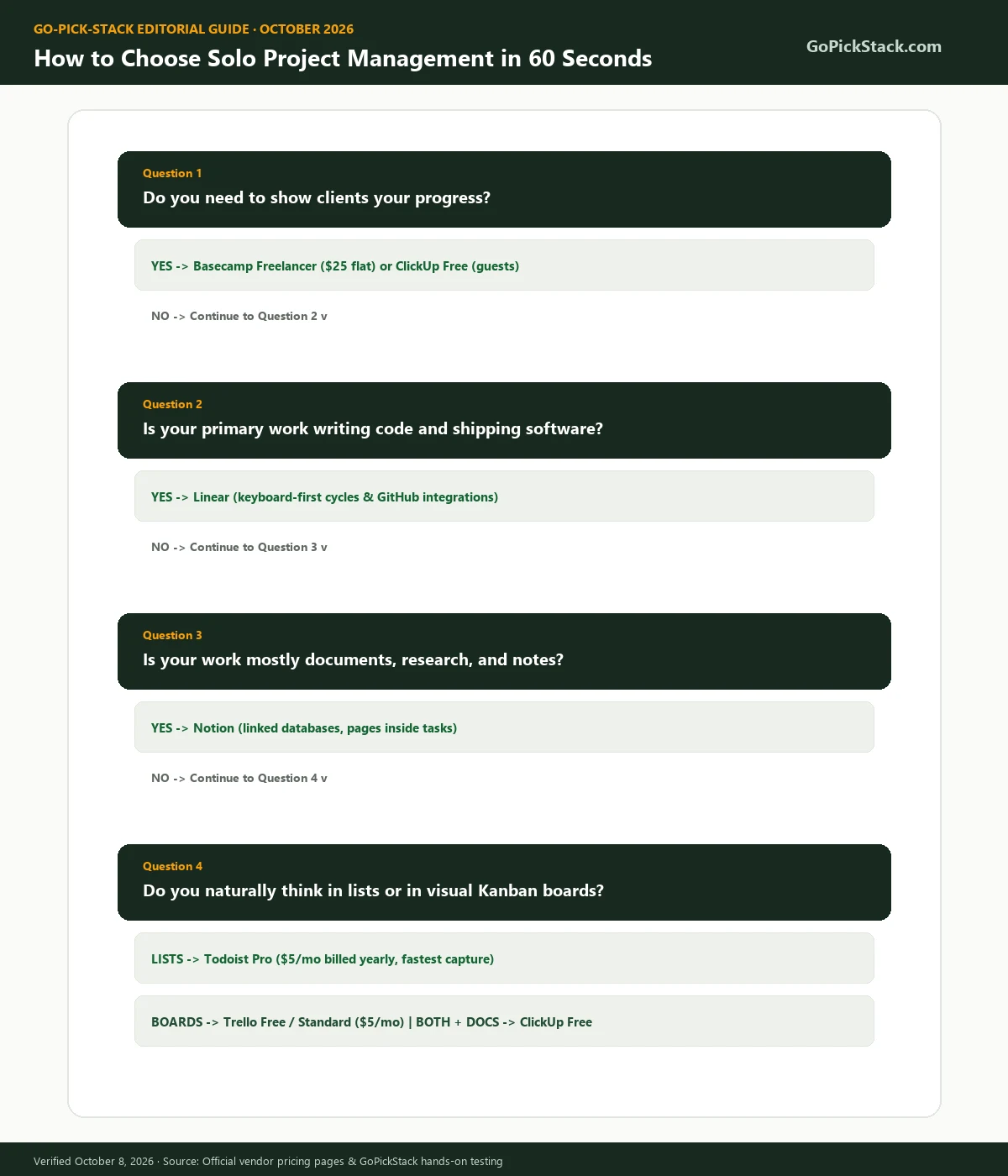
The bottom line: most solo workers end at question 4, and most of them should pick Todoist.
What we did not test
We are clear about the limits of this guide. We did not test:
- •Enterprise tiers, including SSO, SCIM, audit logs, and data residency controls.
- •Native desktop offline mode in depth for every tool. Where we mention offline access, it comes from the vendor's own documentation.
- •AI add-ons at full scale. We noted their prices but did not run long-term AI workloads.
- •Things 3, TickTick, Akiflow, Sunsama, Plutio, and Motion as full reviews. They appear above for price comparison only.
- •Privacy and data residency claims. We did not audit where each vendor stores your data.
- •Regional pricing and taxes. All prices are in US dollars from official US pricing pages.
The bottom line: if one of these gaps matters to you, check the vendor's documentation before you buy.
Frequently asked questions about solo project management
What is the best project management software for one person?
Todoist Pro is the best project management software for one person in 2026. It costs $5 a month billed yearly, captures tasks from plain sentences, and handles recurring work well. Choose ClickUp Free if you want Gantt views and docs at $0, or Trello if you prefer visual boards.
Do solopreneurs need project management software?
Solopreneurs need project management software once they run more than 2 or 3 active projects with deadlines, recurring work, or client updates. Below that point, a simple to-do list is usually enough. The real benefit is fewer missed tasks and less time spent remembering what comes next.
Is a to-do list enough, or do I need a project management app?
A to-do list is enough if your tasks do not depend on each other and you have no client deadlines. You need a project management app when tasks belong to separate projects, some tasks wait on others, or a client needs to see progress. Todoist sits neatly between the two.
What is the difference between a task manager and project management software?
A task manager tracks individual to-dos with due dates and reminders. Project management software groups tasks into projects and adds planning tools such as timelines, dependencies, file sharing, and progress reports. Todoist is mainly a task manager, while ClickUp, Basecamp, and Asana are project management platforms.
What is the best free project management software for one person?
ClickUp Free Forever is the best free project management software for one person. It includes unlimited tasks, docs, multiple views, free guests, and 60 total uses of Gantt and timeline views. Its main limit is 60MB of storage. Trello Free is the best simple alternative, with up to 10 boards.
Is Notion good for solo project management?
Notion is good for solo project management when your projects are document-heavy, such as writing, research, or consulting. The free plan gives one person unlimited pages and 5 guests. However, you must design your own system, and mobile task capture is slower than in Todoist. See our ClickUp vs Notion comparison.
Is Asana good for solopreneurs?
Asana is good for solopreneurs only on its free Personal plan. Its paid Starter plan requires at least 2 seats, so one person pays $263.76 a year on yearly billing. If you need timelines and dependencies as a solo worker, ClickUp Unlimited at $84 a year is the cheaper route.
Which project management tool has time tracking for freelancers?
ClickUp and Basecamp include time tracking for freelancers. ClickUp offers native time tracking mainly on paid plans, starting at $7 a month billed yearly, and Basecamp includes it on its project plans. Plutio adds time tracking plus invoicing at $19 a month. Todoist, Trello, and Linear need a separate timer app.
Can I give clients access to my projects for free?
Yes. ClickUp Free includes unlimited guests, Notion Free allows up to 5 guests, and Trello lets clients join boards. Basecamp counts clients as users, with 20 users included in its $25 Freelancer plan. Always check what a guest can see before you invite one.
How much does project management software cost for one person?
Project management software costs one person between $0 and $324 a year in 2026. Todoist Pro and Trello Standard cost $60 a year on yearly billing. ClickUp Unlimited costs $84. Asana Starter costs $263.76 because of its 2-seat minimum, and monday.com Basic costs $324 because of its 3-seat minimum.
How many projects can one person manage at once?
There is no fixed number, but most solo workers stay focused with 3 active projects at a time. Kanban calls this a work-in-progress limit. You can hold more projects in a backlog, as long as only 3 get your attention each week. The weekly review keeps that limit honest.
Can I use the same tool for client work and personal tasks?
Yes, and it usually works better than two separate apps. Create one area for clients and one for personal life in the same tool. Todoist, ClickUp, and Notion all handle this well. The only exception is Basecamp, which is built for client projects and is awkward for personal to-dos.
Final verdict
For most people working alone, Todoist Pro is the best project management software for one person. It is cheap, fast, and simple enough that you will still use it in six months. Move to ClickUp when you need free timelines and docs. Pick Basecamp when clients need a shared space, and Linear when your projects are code.
Whatever you pick, the habit beats the app. Capture every task, limit yourself to 3 active projects, and review your system every Friday.
Our pick: Todoist Pro
Our full Todoist review rates the product 4.4 out of 5. It tops this list because this ranking scores solo fit, not overall features.
Browse every tool we cover in our project management software category, or compare options in our best task management software guide.
What changed in this guide
References and verified sources
Primary sources, vendor documentation, and research studies cited in this guide:
- Todoist pricing
- ClickUp pricing
- Trello pricing
- Notion pricing
- Linear pricing
- Basecamp pricing
- Asana pricing
- Asana seat rules
- monday.com pricing
- monday.com seat rules
- Cultured Code pricing (Things 3)
- Akiflow pricing
- Plutio pricing
- MBO Partners, 2025 State of Independence
- U.S. Census Bureau, nonemployer business growth
- American Psychological Association, multitasking and switching costs
- UC Irvine, Gloria Mark on digital distraction
- Getting Things Done, what is GTD
- Atlassian, Kanban principles