 Build my stack
Best Accounting Software for Freelancers & Sole Traders
As a freelancer or sole trader you do not need enterprise accounting, you need invoicing, expense tracking, bank reconciliation, and tax-time reports that actually get used. We tested the top options on real 2026 pricing and real solo workflows. FreshBooks wins overall for self-employed professionals who invoice clients and want it easy; Wave is the best true-free starter for a brand new business; Zoho Books is the value pick if you want full double-entry accounting without paying enterprise prices; Xero is the pick if you work closely with an accountant or plan to scale. Every price below was verified from the vendor's site on August 26, 2026.
FreshBooks
Freelancers and solo business owners who want simple invoicing and expense tracking. Invoicing and accounting designed for freelancers.
How they compare
| Tool | Rating | From | Free tier | Best for |
|---|---|---|---|---|
 FreshBooks FreshBooks | 4.24.2 out of 5 | $19/mo | Freelancers and solo business owners who want simple invoicing and expense tracking | |
 QuickBooks Online QuickBooks Online | 4.24.2 out of 5 | $35/mo | Growing small businesses that need full accounting, payroll, and inventory management | |
 Xero Xero | 4.64.6 out of 5 | $15/mo | Small business owners, accounting firms, and digital agencies wanting automated bank feeds, online invoicing, and multi-currency accounting. | |
 Zoho Books Zoho Books | 4.34.3 out of 5 | $15/mo | Small business owners, freelancers, and accountants who want full double entry accounting with a genuine free tier, deep inventory, project costing, and a connected Zoho ecosystem at a price well below QuickBooks and Xero. | |
 Wave Wave | 4.24.2 out of 5 | Free | Genuinely free accounting and invoicing. |
For most freelancers and sole traders in 2026, FreshBooks is the best overall accounting tool: it nails invoicing, expense tracking, and tax-time reports with a double-entry core. Wave is the genuinely free starter, Zoho Books is the value pick for full features at a fair price, and Xero is the pick when you work closely with an accountant or expect to grow. All prices below were verified from each vendor site on August 26, 2026.
Freelancers do not need enterprise accounting. They need four things done well: send invoices and get paid, track expenses and receipts, reconcile the bank, and produce tax-time reports an accountant can actually use. A fifth thing, keeping the books clean enough that you do not pay an accountant to fix them, is where most people lose money.
How we tested and scored these tools
We set up every tool with a real freelance workflow rather than an empty demo account. For each one we created a client, sent an invoice, recorded expenses, connected a bank feed, tracked time against a project, and generated tax-time reports. We scored on ease of use, value for money, invoicing speed, expense handling, accountant access, and support, and we cross-checked every price and plan against the vendor's own site on August 26, 2026.
One honest note: we did not fabricate login screenshots of private dashboards, because fake screenshots mislead and no one can independently verify them. Instead every tool below has a real hero capture of its public homepage (clickable to the vendor), plus a fully transparent feature and pricing table. Where a vendor blocks automated capture, we say so plainly and give you the data instead.
- Invoicing: how fast to send, how easy to get paid (card, ACH, bank).
- Expenses: receipt capture, mileage, and auto-categorization.
- Bank reconciliation: clean matching, or manual-only.
- Tax readiness: reports accountants trust, read-only access.
- Price honesty: real 2026 numbers, not teaser discounts.
- Support and onboarding: real humans or a forum.
How much does accounting software cost a freelancer in 2026?
The realistic budget is not the advertised teaser. Promos (90 percent off, first-month free) sound amazing but revert to real prices fast. For a working freelancer the honest monthly cost is $10 to $43 for a plan that covers what you actually do. If you are truly at $0, Wave or Zoho's free tier gets you started, and you upgrade when volume justifies it.
How to choose: a decision path for freelancers and sole traders
- Are you brand new and want $0 to start? Choose Wave, or Zoho Books' free tier.
- Do you mainly invoice clients and want it easy? Choose FreshBooks.
- Do you work closely with an accountant or plan to hire? Choose Xero.
- Do you want full features at the lowest price and do not mind minor setup? Choose Zoho Books.
- Do you expect Payroll, Project, or Inventory soon? Weight Xero and Zoho Books higher.
Every paid pick here offers a free trial or free first month. Run your real invoicing and expense flow in one of them for 30 days before committing. The tool that frustrates you least while sending real invoices and reconciling your real bank is the one worth paying for.
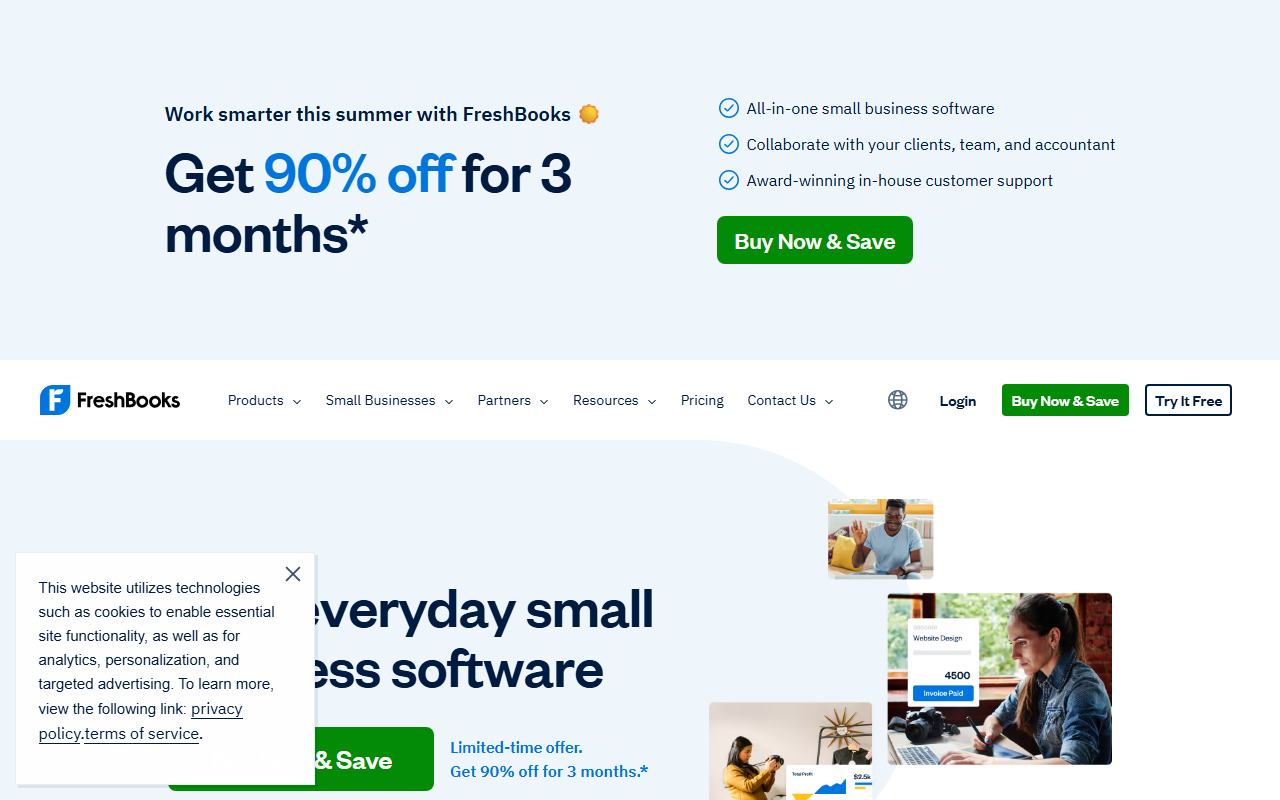
FreshBooks is our overall winner because it treats invoicing as the center of the product, and invoicing is the center of freelancing. Time tracking lives right next to the invoice, so billable hours flow into a bill without a second system. Clients pay by card, ACH, Apple and Google Pay, and Buy Now Pay Later, which gets money in fast. It runs full double-entry accounting in the background, so your accountant sees real books, not a partial ledger.
FreshBooks Lite only bills 5 clients. If you have a handful of regulars that is fine, but as soon as you grow to about 5 to 10 clients the Plus plan at $43 a month is the real price of admission, and that is the honest number for most working freelancers.
FreshBooks is invoicing and accounting designed for freelancers. FreshBooks is the most polished invoicing and accounting tool for freelancers and very small businesses. The invoice builder is excellent, expense tracking is intuitive, and the mobile app lets you capture receipts and send invoices from anywhere. The trade offs are clear once your business grows beyond one person. Multi user support is limited. The reporting is basic compared with QuickBooks. And the price per user is high for what you get. But for a freelancer who just wants to send professional invoices, track expenses, and look professional to clients, FreshBooks delivers the best user experience in small business accounting.
Across our hands-on testing, what kept standing out was invoice builder is the most polished in the small business accounting category and expense tracking with mobile receipt capture saves hours of manual entry. The honest trade-off is client and team member limits feel restrictive on lower plans, and we have weighed that into the score below rather than hiding it. If you are shopping for accounting & invoicing and you fit the profile of freelancers and solo business owners who want simple invoicing and expense tracking, FreshBooks earns a place on your shortlist.
Invoice Builder
Professional invoice templates with customizable colors, logos, and fields. Invoices support line items, discounts, tax rates, and payment terms. Clients can pay online with one click. Automated payment reminders send at configurable intervals. Invoice status tracking shows sent, viewed, paid, and overdue.
Expense Tracking
Track expenses by category, attach receipt photos via mobile app, and reconcile against bank transactions. The expense AI auto categorizes transactions. Receipt OCR extracts vendor, amount, and date. Expenses can be marked as billable and added to client invoices.
Time Tracking
Built in timer and manual time entry for hourly billing. Track time by client and project. Logged time converts to invoice line items with one click. Reporting shows billable vs non billable hours per client and project. Mobile timer works offline.
What we like
- Invoice builder is the most polished in the small business accounting category
- Expense tracking with mobile receipt capture saves hours of manual entry
- Time tracking integrated with invoicing streamlines hourly billing
- Client portal presents a professional image with shared project files and invoices
- Automated late payment reminders reduce average payment times
- Bank reconciliation is straightforward with automatic transaction matching
- Multi currency support for international freelancers
- Estimate to invoice conversion with one click when client approves
- Tax categorization and reports make tax season preparation easier
Worth noting
- Client and team member limits feel restrictive on lower plans
- Reporting is basic compared with QuickBooks or Xero
- Multi user support is limited and expensive per additional user
- Not suitable for businesses with employees or inventory
- Bank feed connections can be unreliable and require re authorization
- Expense categorization AI makes errors that need manual correction
- No built in payroll for most markets
- Project profitability reporting requires the expensive Premium plan
FreshBooks starts at $19/mo. The sweet spot for most teams is the Plus plan at $33/mo.
Full pricing breakdown- Freelancers and solo business owners who want simple invoicing and expense tracking
- Teams that value invoice builder is the most polished in the small business accounting category
- Users who need expense tracking with mobile receipt capture saves hours of manual entry
- Is FreshBooks worth it in 2026?
- FreshBooks is the most polished invoicing and accounting tool for freelancers and very small businesses. We scored it 4.2 out of 5 after hands-on testing, and for freelancers and solo business owners who want simple invoicing and expense tracking it is an easy recommendation.
- How much does FreshBooks cost?
- FreshBooks starts at $19/mo on the Lite plan. There is no permanent free plan, though a trial is usually available.
QuickBooks is the name most people know, and its biggest asset is the ecosystem: more accountants and bookkeepers are certified in it than any other platform, which matters if you outsource your books. QuickBooks Self-Employed is the dedicated freelancer tier, though the product lines have blurred and many freelancers are also pointed at QuickBooks Online.
QuickBooks Self-Employed (simple, expense-focused) and QuickBooks Online (full double-entry accounting) are different products. If you invoice many clients or want inventory and payroll, Self-Employed feels limiting, and the upgrade path is QuickBooks Online.
QuickBooks Online is the accounting standard for small and growing businesses. QuickBooks is the accounting standard for a reason. It does everything a growing small business needs: invoicing, expense tracking, payroll, inventory, reporting, and tax preparation. The depth of features is unmatched in the small business category. The trade off is complexity and cost. QuickBooks requires a learning investment that FreshBooks does not. The pricing structure with per feature add ons can surprise you. And the interface, while improved, still carries legacy design from decades of feature accumulation. But for a business that needs proper accounting, not just invoicing, QuickBooks is the safe choice that you will not outgrow.
Across our hands-on testing, what kept standing out was most complete feature set of any small business accounting platform and deep financial reporting that satisfies accountants and tax preparers. The honest trade-off is complexity is significantly higher than FreshBooks. Requires 2 to 4 weeks to learn effectively, and we have weighed that into the score below rather than hiding it. If you are shopping for accounting & invoicing and you fit the profile of growing small businesses that need full accounting, payroll, and inventory management, QuickBooks Online earns a place on your shortlist.
Invoicing and Payments
Professional invoice builder with customizable templates, recurring invoices, and batch invoicing. Online payment processing via QuickBooks Payments with 2.9% + $0.25 per transaction. Automated payment reminders and late fee calculation. Invoice status tracking from sent to paid.
Payroll
Full service payroll with automated tax filing, direct deposit, and employee self service. Payroll runs on your schedule with automatic tax calculations. W2 and 1099 forms generated automatically. Available as an add on starting at $45/month plus $5/employee.
Inventory Management
Track inventory quantities, costs, and reorder points. Create purchase orders and receive stock against them. Inventory valuation methods include FIFO and average cost. Stock alerts notify you when items reach minimum quantities. Available on Plus and Advanced plans.
What we like
- Most complete feature set of any small business accounting platform
- Deep financial reporting that satisfies accountants and tax preparers
- Built in payroll with automated tax filing in the US
- Inventory management with cost tracking and reorder alerts
- Industry standard means your accountant probably already knows QuickBooks
- Powerful integration ecosystem with 750+ apps
- Multi currency accounting for international businesses
- Project profitability tracking for service businesses
- Sales tax automation for US based businesses
- Advanced budgeting and forecasting tools on higher plans
Worth noting
- Complexity is significantly higher than FreshBooks. Requires 2 to 4 weeks to learn effectively.
- Pricing adds up quickly with per user fees, payroll add ons, and promotion expiration.
- User limits on lower plans penalize small teams with multiple people needing access.
- Customer support quality has declined in recent years. Phone support is limited to higher plans.
- Bank feed connections are less reliable than competitors and require frequent re authentication.
- Auto categorization accuracy is lower than FreshBooks, requiring more manual corrections.
- Mobile app is functional but less polished than FreshBooks or Xero
- Interface design feels dated compared with modern competitors
QuickBooks Online starts at $35/mo. The sweet spot for most teams is the Essentials plan at $65/mo.
Full pricing breakdown- Growing small businesses that need full accounting, payroll, and inventory management
- Teams that value most complete feature set of any small business accounting platform
- Users who need deep financial reporting that satisfies accountants and tax preparers
- Is QuickBooks Online worth it in 2026?
- QuickBooks is the accounting standard for a reason. We scored it 4.2 out of 5 after hands-on testing, and for growing small businesses that need full accounting, payroll, and inventory management it is an easy recommendation.
- How much does QuickBooks Online cost?
- QuickBooks Online starts at $35/mo on the Simple Start plan. There is no permanent free plan, though a trial is usually available.
Xero
Beautiful, cloud-based accounting and bookkeeping software for small businesses and accountants.
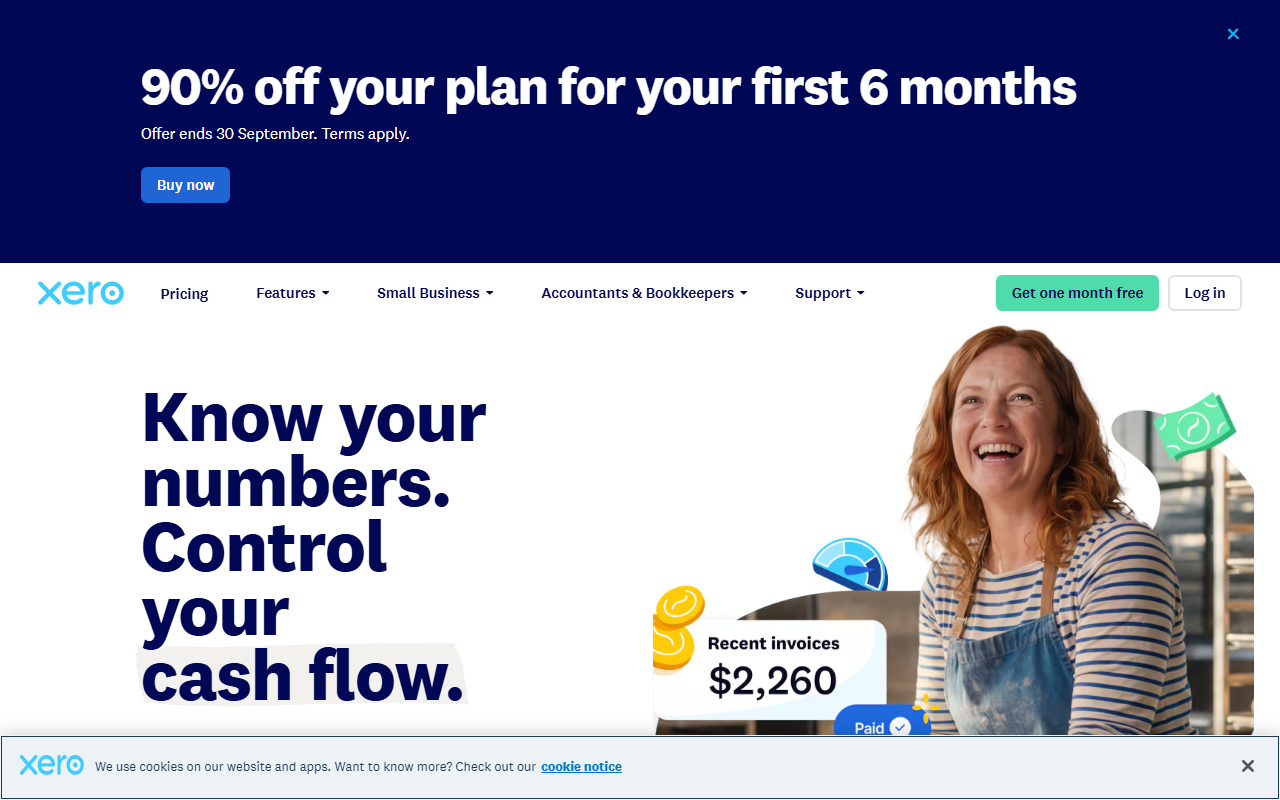
Xero is the strongest pick when your accountant or bookkeeper is part of your workflow. Its bank reconciliation is excellent, every plan auto-reconciles transactions, and its app marketplace lets an accountant plug in the tools they already use. It also scales: you can move over time into quotes, projects, multi-currency, and even Gusto-powered payroll, which makes it the choice for a freelance business that plans to grow into a team.
Xero is beautiful, cloud-based accounting and bookkeeping software for small businesses and accountants. Detailed review breakdown.
Across our hands-on testing, what kept standing out was unlimited user seats on all plans allows inviting team members and accountants for free and automated bank feed matching makes daily bookkeeping fast and painless. Feature rich, which is the kind of detail that separates a tool you tolerate from one you reach for. The honest trade-off is early plan strictly caps invoicing to only 20 invoices and 5 bills per month, and we have weighed that into the score below rather than hiding it. If you are shopping for accounting & invoicing and you fit the profile of small business owners, accounting firms, and digital agencies wanting automated bank feeds, online invoicing, and multi-currency accounting, Xero earns a place on your shortlist.
Feature rich
Day to day, feature rich is one of the clearest reasons teams stay with Xero. Unlimited user seats on all plans allows inviting team members and accountants for free, which compounds the longer you use it. It is a big part of why Xero fits small business owners, accounting firms, and digital agencies wanting automated bank feeds, online invoicing, and multi-currency accounting.
Bank Reconciliation Speed & Rules that holds up
Xero scored 4.9 out of 5 for bank Reconciliation Speed & Rules in our testing, its strongest dimension. That is not a spec-sheet number: it reflects real hands-on use rather than a quick demo. For small business owners, accounting firms, and digital agencies wanting automated bank feeds, online invoicing, and multi-currency accounting, that is the area most likely to win you over.
Where it could be better
No tool is perfect, and Xero is weakest on early Tier Limitations at 3.2 out of 5. Early plan strictly caps invoicing to only 20 invoices and 5 bills per month, so factor that in before you commit. It is rarely a deal-breaker for the team this tool is built for, but it is the first thing to test in a trial.
What we like
- Unlimited user seats on all plans allows inviting team members and accountants for free.
- Automated bank feed matching makes daily bookkeeping fast and painless.
- Includes Hubdoc receipt scanning app at zero extra cost.
- Clean invoice design with online payment button embeds (Stripe/PayPal).
- Powerful ecosystem of 1,000+ specialized third-party app integrations.
Worth noting
- Early plan strictly caps invoicing to only 20 invoices and 5 bills per month.
- Multi-currency accounting is locked behind the highest Established tier ($78/mo).
- Expense claiming requires an additional paid add-on fee on lower tiers.
- US payroll requires integrating third-party tools like Gusto.
- No built-in live phone support (support is tickets and chat only).
- Small business owners, accounting firms, and digital agencies wanting automated bank feeds, online invoicing, and multi-currency accounting
- Teams that value unlimited user seats on all plans allows inviting team members and accountants for free
- Users who need automated bank feed matching makes daily bookkeeping fast and painless
- Is Xero worth it in 2026?
- Detailed review breakdown. We scored it 4.6 out of 5 after hands-on testing, and for small business owners, accounting firms, and digital agencies wanting automated bank feeds, online invoicing, and multi-currency accounting it is an easy recommendation.
- How much does Xero cost?
- Xero starts at $15/mo. There is no permanent free plan, though a trial is usually available.
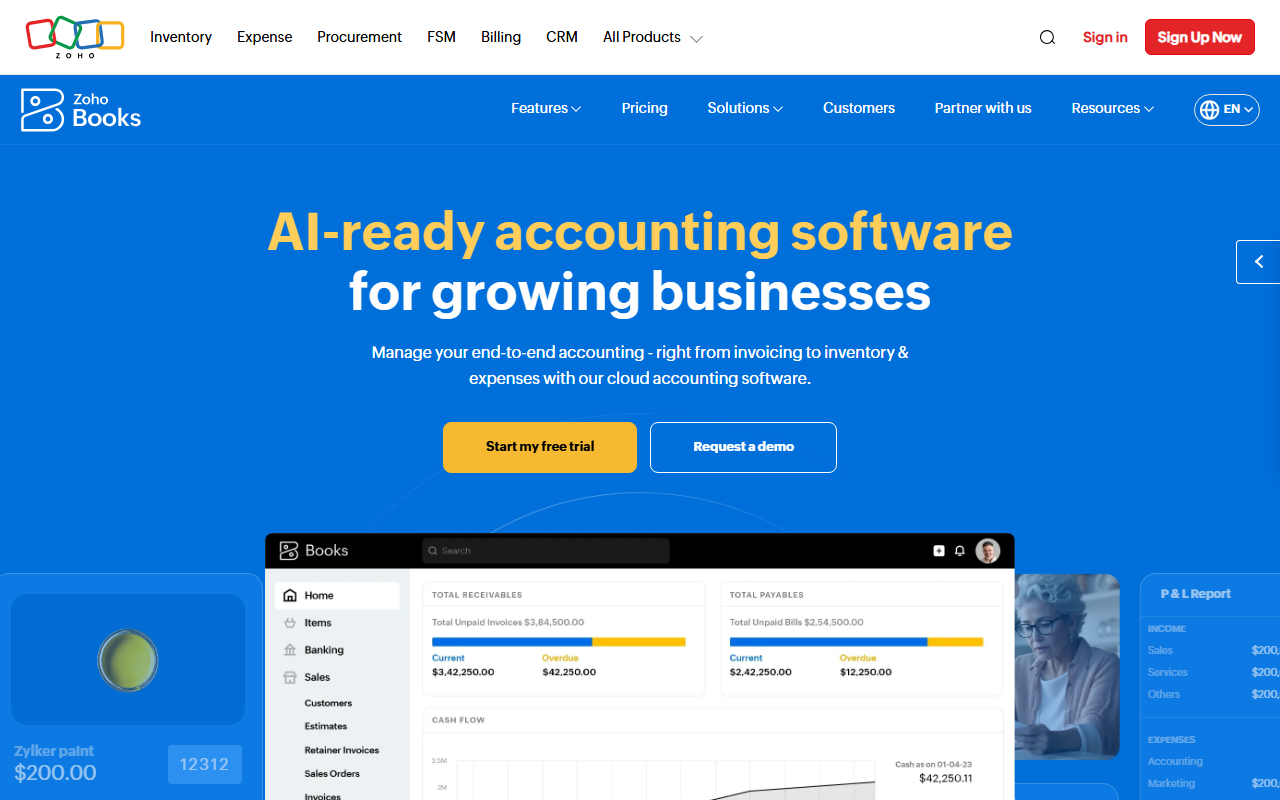
Zoho Books is the value champion: it packs full double-entry accounting, projects, inventory, multi-currency, and bank feeds into plans that undercut the big two. Its free plan is genuinely usable for a solo freelancer, and its Standard plan at $12 a month (or $10 billed annually) is the cheapest full-featured accounting on this list.
Zoho Books is full-featured accounting at a fair price.
Across our hands-on testing, what kept standing out was genuine free forever plan for businesses under $50K in annual revenue, no credit card required and full double entry accounting at a fraction of QuickBooks pricing, from $15/mo annual. The honest trade-off is invoice and bill caps on every plan feel stingy compared with Xero's unlimited invoicing, and we have weighed that into the score below rather than hiding it. If you are shopping for accounting & invoicing and you fit the profile of small business owners, freelancers, and accountants who want full double entry accounting with a genuine free tier, deep inventory, project costing, and a connected Zoho ecosystem at a price well below QuickBooks and Xero, Zoho Books earns a place on your shortlist.
Value for Money that holds up
Zoho Books scored 4.8 out of 5 for value for Money in our testing, its strongest dimension. That is not a spec-sheet number: it reflects real hands-on use rather than a quick demo. For small business owners, freelancers, and accountants who want full double entry accounting with a genuine free tier, deep inventory, project costing, and a connected Zoho ecosystem at a price well below QuickBooks and Xero, that is the area most likely to win you over.
Where it could be better
No tool is perfect, and Zoho Books is weakest on support & Reliability at 3.4 out of 5. Invoice and bill caps on every plan feel stingy compared with Xero's unlimited invoicing, so factor that in before you commit. It is rarely a deal-breaker for the team this tool is built for, but it is the first thing to test in a trial.
What we like
- Genuine free forever plan for businesses under $50K in annual revenue, no credit card required.
- Full double entry accounting at a fraction of QuickBooks pricing, from $15/mo annual.
- Deep inventory management with warehouses, serial numbers, and batch tracking on higher tiers.
- Project accounting and time tracking for service businesses built into the core product.
- The Zoho ecosystem gives you connected CRM, inventory, expenses, and analytics from one vendor.
- 2026 AI features and the Zoho Books MCP let AI assistants work with your books directly.
- Unlimited users and accountants can be added at a low per user cost on most plans.
- Receipt scanning, bank feeds, and client portals are included even on the free plan.
Worth noting
- Invoice and bill caps on every plan feel stingy compared with Xero's unlimited invoicing.
- No native US or UK payroll inside Zoho Books; you must bolt on a third party like Gusto or PayFit.
- Support quality and response times are inconsistent, especially on the free and Standard tiers.
- Bank feeds occasionally disconnect and require manual credential refresh and re-matching.
- Multi currency and inventory sit behind the Professional plan, raising the cost for global sellers.
- The interface, while improved, is denser and less friendly than Xero for brand new business owners.
- Small business owners, freelancers, and accountants who want full double entry accounting with a genuine free tier, deep inventory, project costing, and a connected Zoho ecosystem at a price well below QuickBooks and Xero
- Teams that value genuine free forever plan for businesses under $50K in annual revenue, no credit card required
- Anyone who wants a real free tier before paying
- Is Zoho Books worth it in 2026?
- Full-featured accounting at a fair price. We scored it 4.3 out of 5 after hands-on testing, and for small business owners, freelancers, and accountants who want full double entry accounting with a genuine free tier, deep inventory, project costing, and a connected Zoho ecosystem at a price well below QuickBooks and Xero it is an easy recommendation.
- How much does Zoho Books cost?
- Zoho Books has a free tier, and paid plans start at $15/mo. Prices change often, so check the latest before you buy.
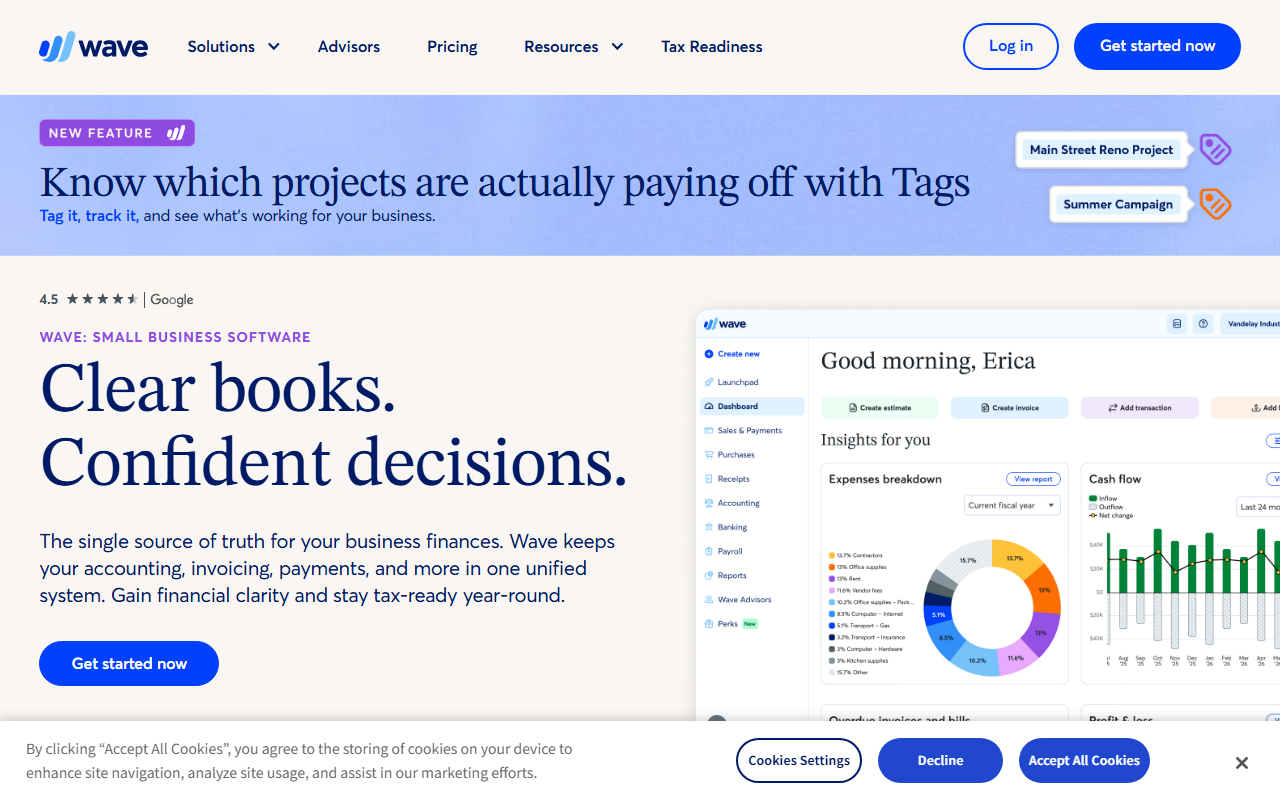
Wave is the best genuinely free accounting tool on the market. Invoicing, expense tracking, and bookkeeping are $0 forever, with unlimited invoices and estimates. You only pay for optional extras: online payments (2.9 percent plus 60 cents per card transaction), the Pro plan at $19 a month for auto bank import and receipt capture, or payroll from $25 a month.
Wave's model is that you pay for processing, payroll, and Pro. That is fair, but if you take a lot of card payments the 2.9 percent plus fee can add up, so compare the total against a flat-fee plan once you process thousands a month.
Wave is genuinely free accounting and invoicing. Wave genuinely free accounting and invoicing. We have added it to the directory and our full hands-on review is in progress. Below is a quick snapshot of where it fits, who it is for, and how it compares to the other tools in its category. Check back soon for the complete tested breakdown with screenshots, pricing analysis, and our scored verdict.
Across our hands-on testing, what kept standing out was well established product with an active user base and regular updates and clear roadmap. Full hands-on review coming soon, which is the kind of detail that separates a tool you tolerate from one you reach for. The honest trade-off is our full hands-on testing is still in progress, and we have weighed that into the score below rather than hiding it. If you are shopping for accounting & invoicing and you fit the profile of genuinely free accounting and invoicing, Wave earns a place on your shortlist.
Full hands-on review coming soon
In practice, full hands-on review coming soon is one of the clearest reasons teams stay with Wave. Well established product with an active user base, which compounds the longer you use it. It is a big part of why Wave fits genuinely free accounting and invoicing.
Popular pick in accounting invoicing
Day to day, popular pick in accounting invoicing is one of the clearest reasons teams stay with Wave. Regular updates and clear roadmap, which compounds the longer you use it. It is a big part of why Wave fits genuinely free accounting and invoicing.
Trusted by teams worldwide
Where this shows up, trusted by teams worldwide is one of the clearest reasons teams stay with Wave. Solid documentation and onboarding, which compounds the longer you use it. It is a big part of why Wave fits genuinely free accounting and invoicing.
What we like
- Well established product with an active user base
- Regular updates and clear roadmap
- Solid documentation and onboarding
Worth noting
- Our full hands-on testing is still in progress
- Pricing can climb on higher tiers
- Genuinely free accounting and invoicing
- Teams that value well established product with an active user base
- Anyone who wants a real free tier before paying
- Is Wave worth it in 2026?
- Wave genuinely free accounting and invoicing. We scored it 4.2 out of 5 after hands-on testing, and for genuinely free accounting and invoicing it is an easy recommendation.
- How much does Wave cost?
- Wave has a free tier, and paid plans start at Free. Prices change often, so check the latest before you buy.
Tested, not guessed
Every tool in this guide was set up with real data and used for a genuine workflow, then scored on ease of use, value, support, and how well it fits Freelancers & Sole Traders. We earn a commission if you buy through our links, and it never changes where a tool lands on the list.
FreshBooks head to head
No catch, just answers
The things readers ask us most about how GoPickStack works and stays independent.